Operation Manual
CL01-2 Wall Controller
Operation Manual - CL01-2 Wall Controller
Document: 0525-081 Ver. 1 190903
26
15.02. Android Users
Note: Images may vary from those shown below.
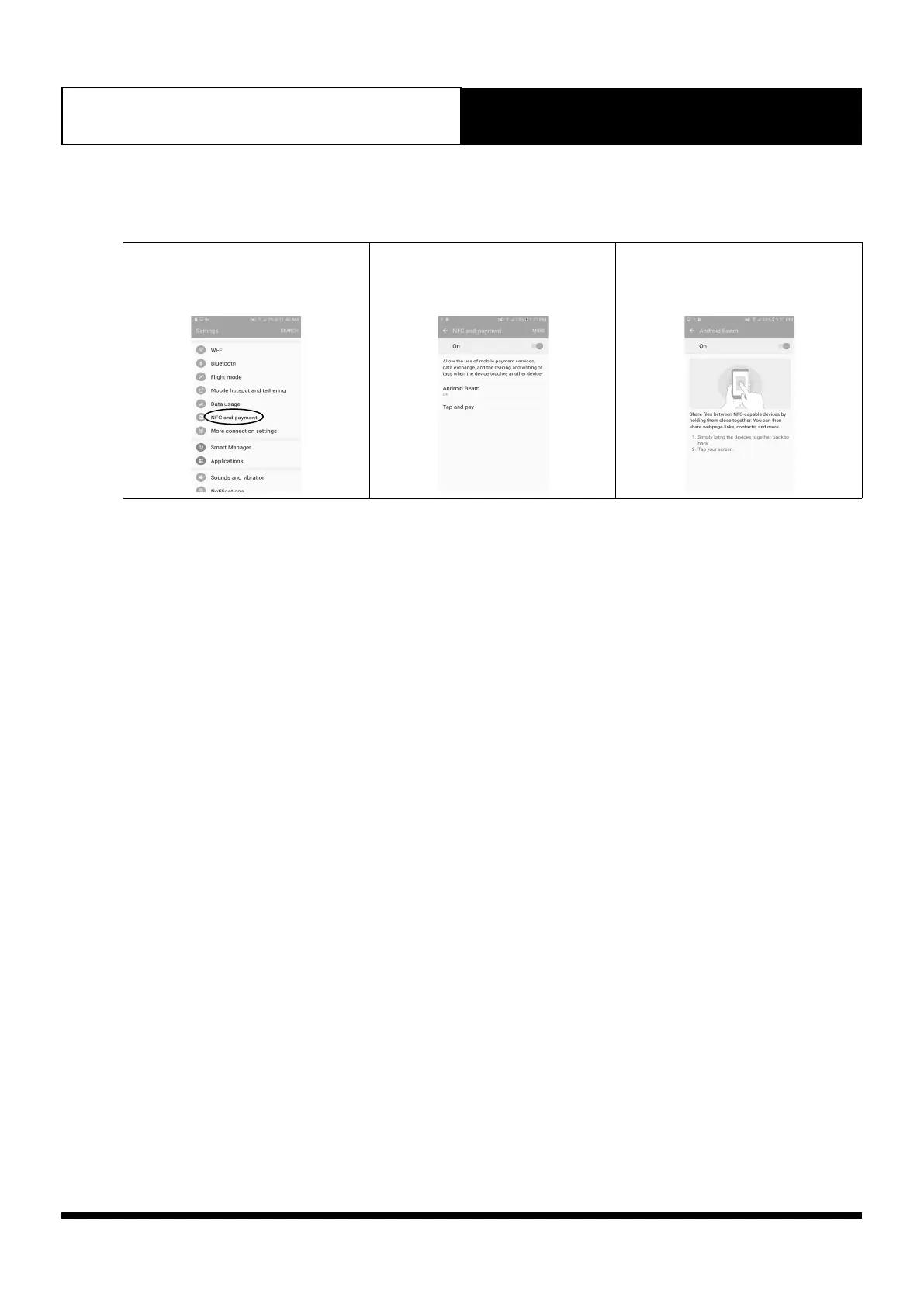
1. Go to Settings and look for NFC
and payment. Tap ON to activate
NFC.
2. Tap Android Beam
3. Follow the on-screen instructions.
4. Once successfully scanned, a pop-up window will appear to redirect you to external website.
https://www.actronair.com.au/nfc
5. List of Controller Models will appear on the screen of your mobile device.
Select the model number of your controller to view the operation manual. The Model number of your controller
can be found underneath the Power On/Off button of the controller.



 To Next Page