Operation Manual
CL01-2 Wall Controller
Operation Manual - CL01-2 Wall Controller
Document: 0525-081 Ver. 1 190903
15
09.09. Temperature Set Back
Normally, the air conditioning system is turned Off at unoccupied times or at night. The building temperature can
get quite hot (e.g. 30
o
C) or quite cold (e.g. 12
o
C). When you turn on the air conditioning system, it takes a long
time to achieve a comfortable temperature (e.g. 23
o
C). The temperature set back feature will maintain the building
temperature at pre-determined and reasonable temperature closer to your chosen set temperature (e.g. 23
o
C), thus
giving you a big head start in achieving your comfortable temperature.
NOTE
The air conditioning system must be turned Off before performing these procedures.
09.09.01. Setting the Temperature Set Back
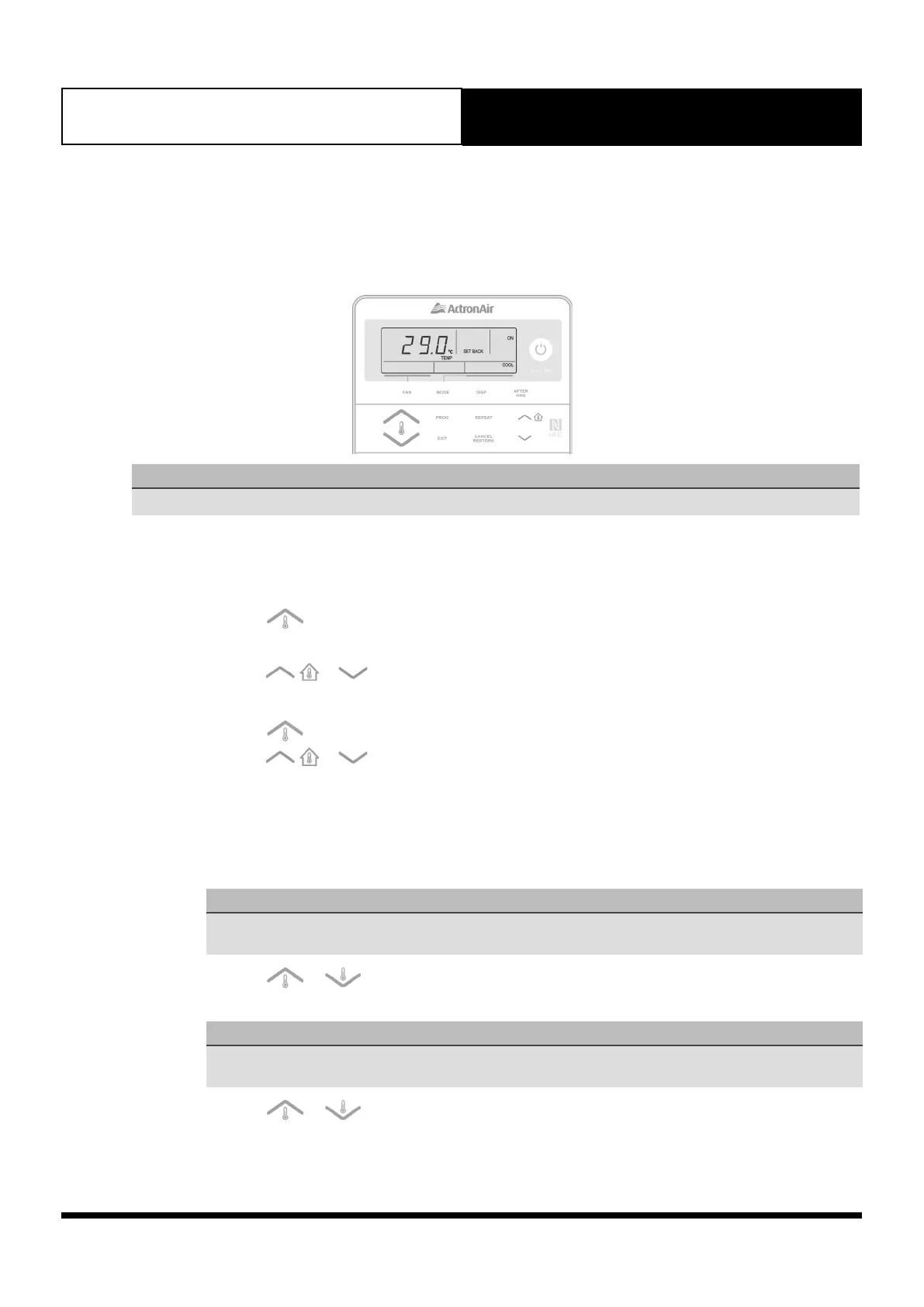
1. Press and hold the FAN button. Press the PROG button and release them altogether. Menu 01 will be
displayed with PROG indicator flashing.
2. Press the button repeatedly until menu number 06 is displayed.
3. Press the PROG button to enter menu 06.
4. Press the
or buttons to select ON (to enable Setback feature).
5. Press the EXIT button to enable Setback feature.
6. Press the button to get into menu 07 and then the PROG button to enter menu 07.
7. Press the
or buttons to select set back operating mode, i.e.
• Cool mode only: COOL indicator will be illuminated.
• Heat mode only: HEAT indicator will be illuminated.
• Auto mode: COOL and HEAT indicators will be illuminated.
When Setback is disabled, SETBACK and OFF will be flashing.
8. Press the PROG button to accept selection.
NOTE
Current Cool mode set back temperature will be displayed, SETBACK and COOL indicators will be
illuminated and ON indicator will be flashing.
9. Press the or buttons to set your desired Cool mode set back temperature.
10. Press the PROG button to lock-in your desired Cool mode setback temperature.
NOTE
Current Heat mode set back temperature will be displayed, SETBACK and HEAT indicators will be
illuminated and ON indicator will be flashing.
11. Press the or buttons to set your desired Heat mode set back temperature.
12. Press the PROG button to lock-in your desired HEAT mode setback temperature. SET BACK indicator will
be illuminated to confirm that set back is now active.
13. Press the EXIT button twice to go back to Main screen.



 To Next Page