222
XX
Bluetooth
®
HandsFreeLink
®
X
Setting Up Speed Dialing
Bluetooth
®
HandsFreeLink
®
H SETTINGS button
X
Phone Settings
X
Edit Speed Dial
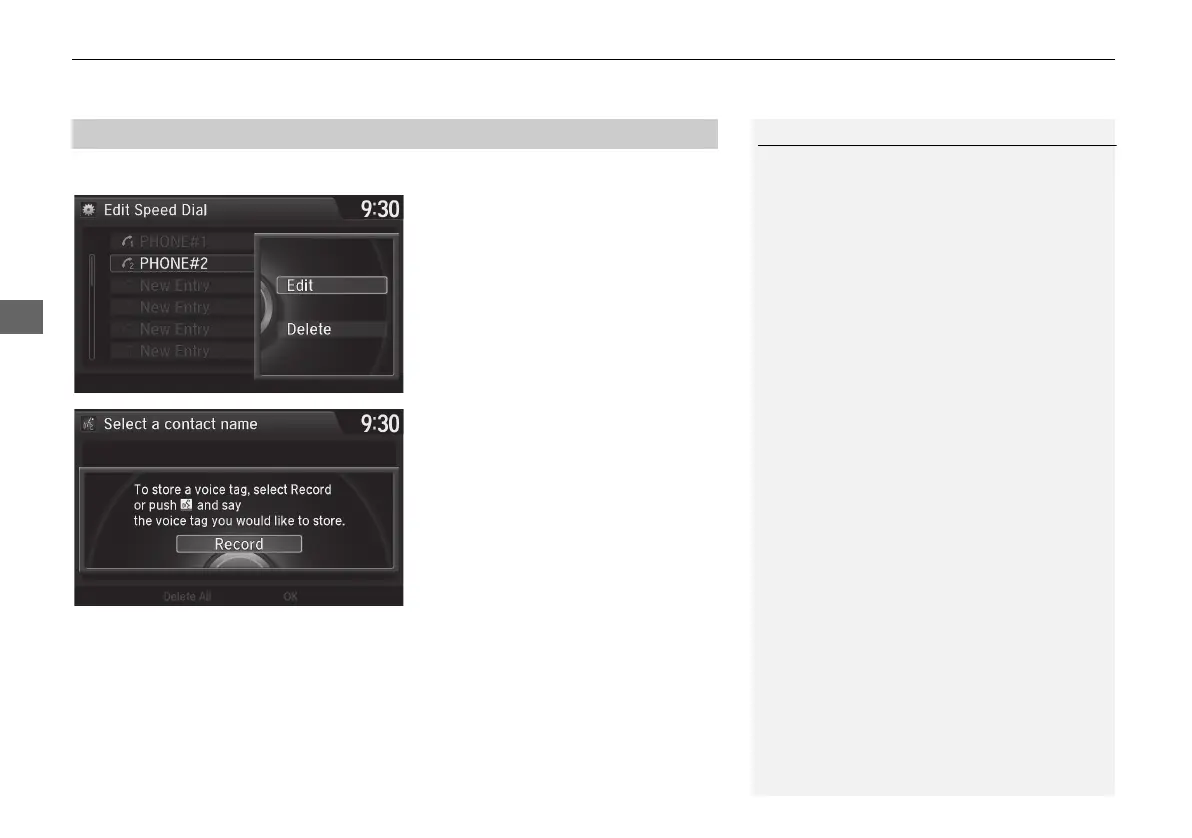
1. Select an existing speed dial entry.
2. From the pop-up menu, rotate i
to select Edit. Press u.
3. Rotate i to select Voice Tag.
Press u.
4. From the pop-up menu, rotate i
to select Record. Press u.
5. Press u.
X
Using the d (Talk) button,
follow the prompt to enter a
voice tag.
■ Registering a Voice Tag to a Speed Dial Entry
1 Registering a Voice Tag to a Speed Dial Entry
Avoid using duplicate voice tags.
Avoid using ”home“ as a voice tag.
It is easier for HFL to recognize a longer name.
For example, use ”John Smith“ instead of
”John.“
MDX_KA-31TZ58210.book 222 ページ 2015年8月31日 月曜日 午後1時48分


 To Next Page
 Loading...




