28
System Setup
Interface Settings
Display Settings
H SETTINGS button
X
System Settings
X
Display
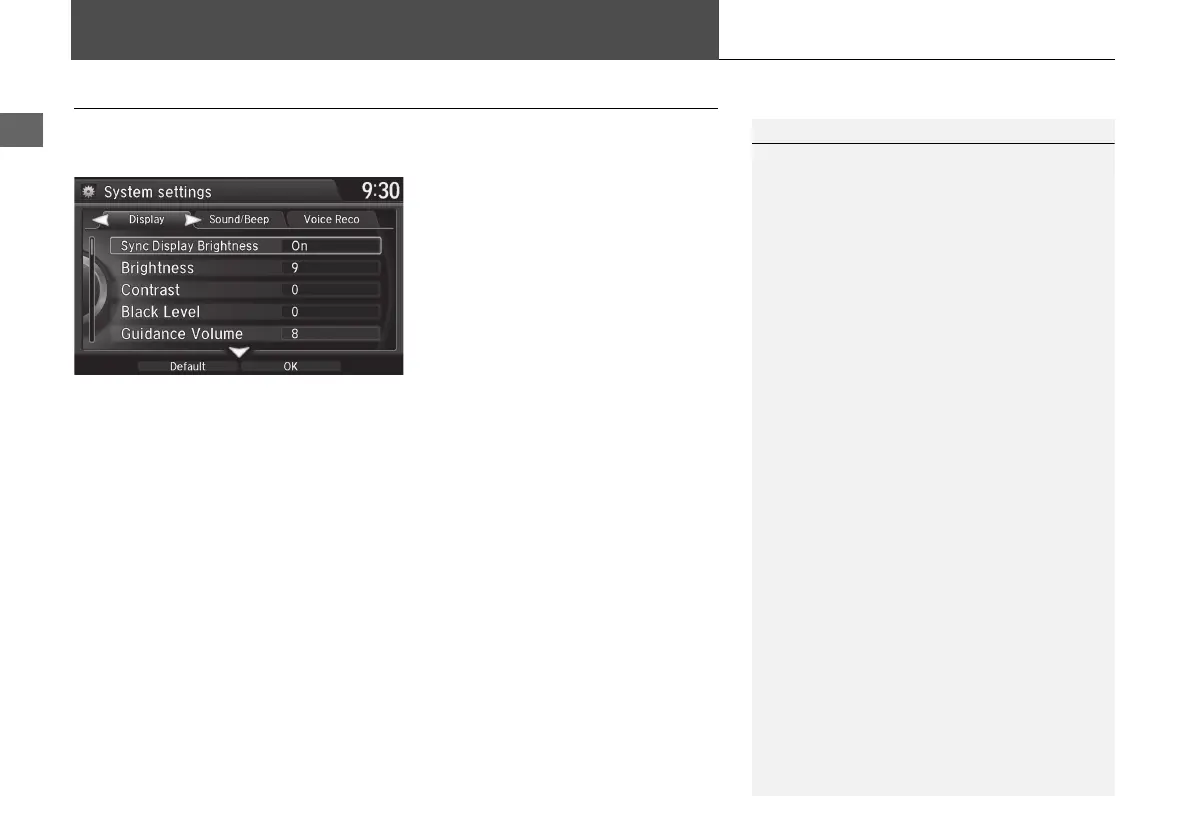
Adjusts the screen’s preferences.
1. Rotate i to select an item. Press
u.
2. Rotate i to make the
adjustment. Press u.
The following items are available:
• Sync Display Brightness: Selects whether the display brightness synchronizes
with the instrument panel brightness.
• Brightness: Adjusts the screen’s brightness.
• Contrast: Adjusts the screen’s contrast.
• Black Level: Adjusts the screen’s black level.
1 Display Settings
You can set separate daytime and nighttime
settings for Brightness, Contrast, and Black
Level. Adjust each setting when the display is in
either daytime or nighttime mode.
MDX_KA-31TZ58210.book 28 ページ 2015年8月31日 月曜日 午後1時48分


 To Next Page
 Loading...




