230
XX
Bluetooth
®
HandsFreeLink
®
X
Phonebook Phonetic Modification
Bluetooth
®
HandsFreeLink
®
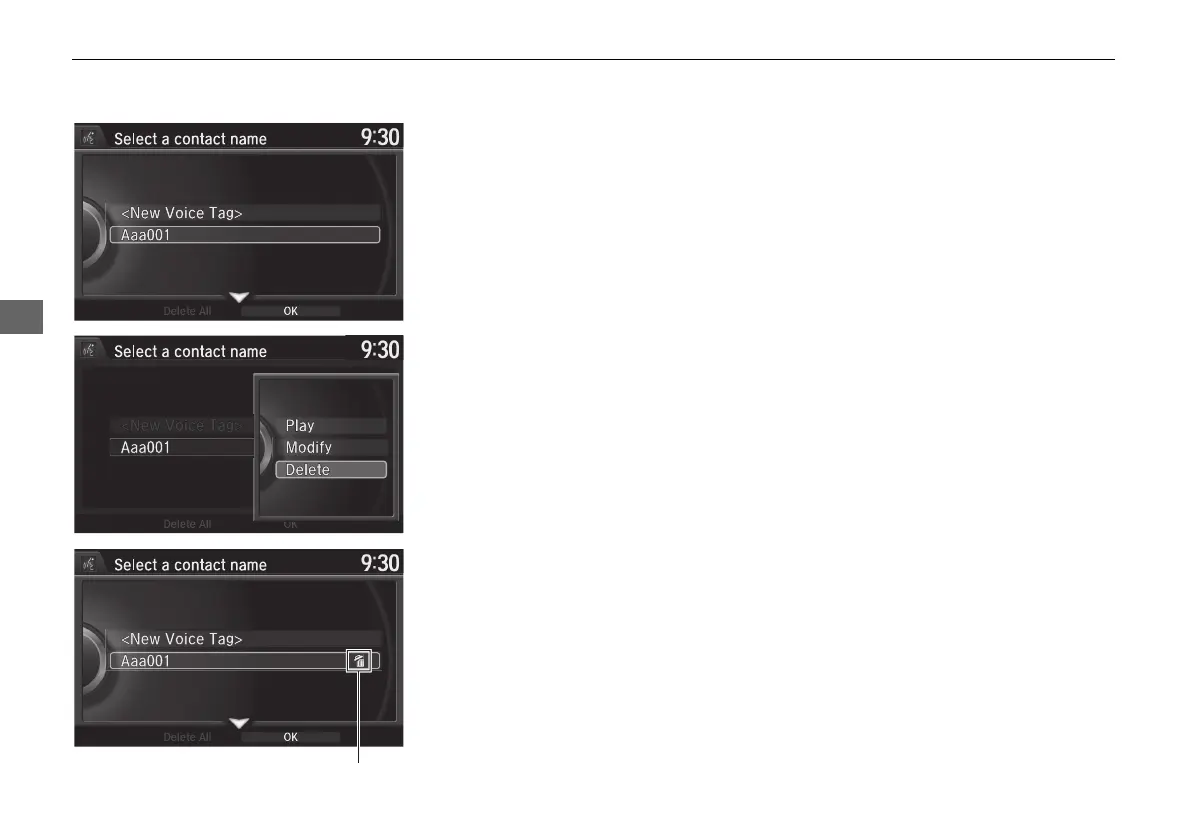
■ To delete a modified voice tag
1. Rotate i to select the phone you
want to delete phonetic
modification. Press u.
2. Rotate i to select a contact
name you want to delete. Press u.
X
The pop-up menu appears on
the screen.
3. Rotate i to select Delete, then
press u.
X
Items to be deleted are indicated
with a trash icon.
4. Move r and rotate i to select
OK. Press u.
Trash icon
MDX_KA-31TZ58210.book 230 ページ 2015年8月31日 月曜日 午後1時48分


 To Next Page
 Loading...




