241
XX
Bluetooth
®
HandsFreeLink
®
X
Making a Call
Bluetooth
®
HandsFreeLink
®
H MENU button (on Phone screen)
X
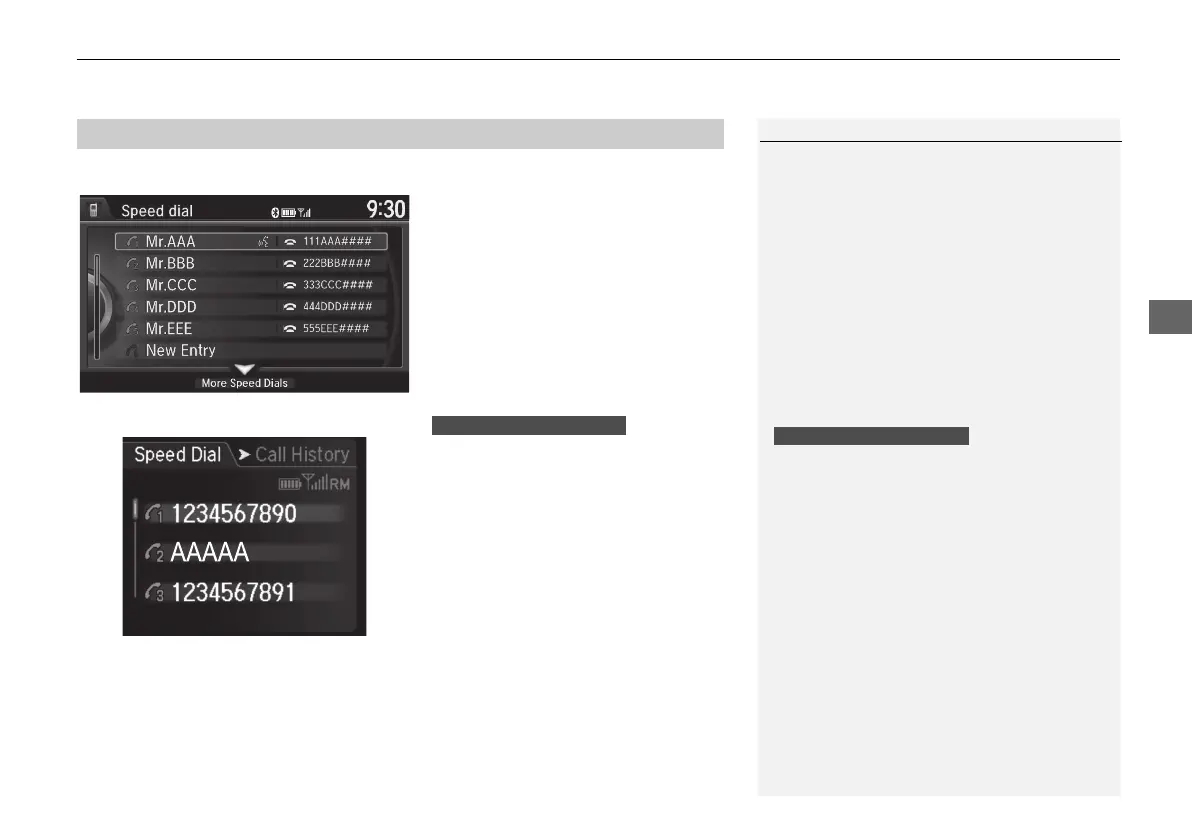
Speed Dial
Rotate i to select a number. Press
u.
X
Dialing starts automatically.
1. Press the h button.
2. Move the left selector wheel left to
select Speed Dial.
3. Roll the left selector wheel to select
a number.
4. Push the left selector wheel or the
h button.
X
Dialing starts automatically.
■ Using Speed Dial
1 Using Speed Dial
Move r to select
More Speed Dials to view
another paired phone's speed dial list. You can
make a call from that list using the currently
connected phone.
When a voice tag is stored, press the d button
to call the number using the voice tag.
2 Setting Up Speed Dialing P. 221
Any voice-tagged speed dial entry, phonebook
name or number can be dialed by voice from any
screen. Press the d button and follow the
prompts.
The speed dial displays the 20 speed dial entries.
Multi-information Display
Multi-information Display
MDX_KA-31TZ58210.book 241 ページ 2015年8月31日 月曜日 午後1時48分


 To Next Page
 Loading...




