43
XX
Personal Information
X
Address Book
System Setup
The following items are available:
• Current Position: Select your current location.
• Address: Enter an address on the character input screen when prompted.
2
Address P. 92
• Previous Destinations: Select a previous destination.
2 Previous Destination P. 99
• Place Name: Enter the name of a place/landmark.
2
Place Name P. 104
• Local Search: Sets a destination by using Local Search.
2 Local Search P. 102
• Place Category: Select a category to search for a place/landmark (e.g., Banking,
Lodging).
2 Place Category P. 100
• More Search Methods: Displays additional search method entries.
2 Entering a Destination P. 90
H SETTINGS button
X
Navi Settings
X
Personal Info
X
Address Book
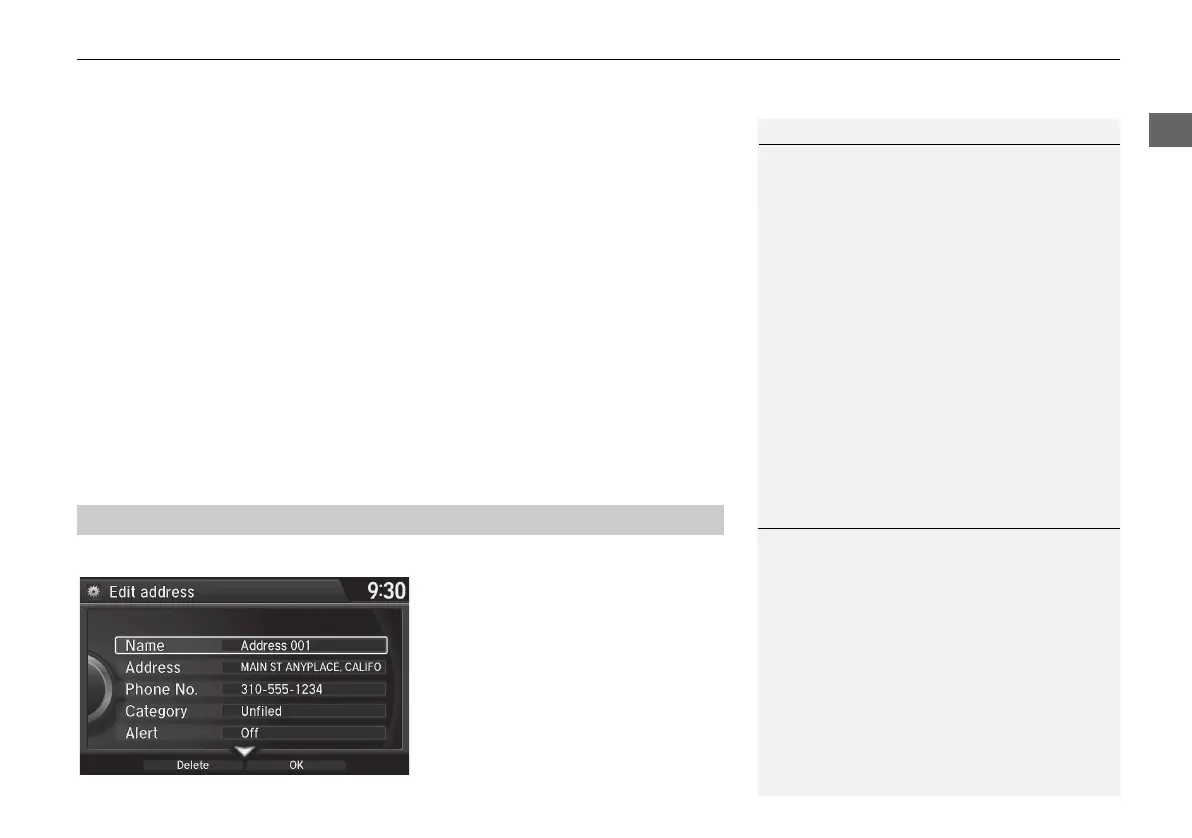
1. Rotate i to select the address to
edit. Press u.
2. Enter the name, address, phone
number, and category fields.
2
Adding an Address Book Entry
P. 41
3. Move r and rotate i to select
OK. Press u.
■ Editing an Address Book Entry
1 Adding an Address Book Entry
When you use Place Name or Place Category,
the phone number is automatically entered.
You can also add a phone number and category.
1 Editing an Address Book Entry
The entered contents are displayed on the Edit
address screen.
MDX_KA-31TZ58210.book 43 ページ 2015年8月31日 月曜日 午後1時48分


 To Next Page
 Loading...




