46
XX
Personal Information
X
Address Book
System Setup
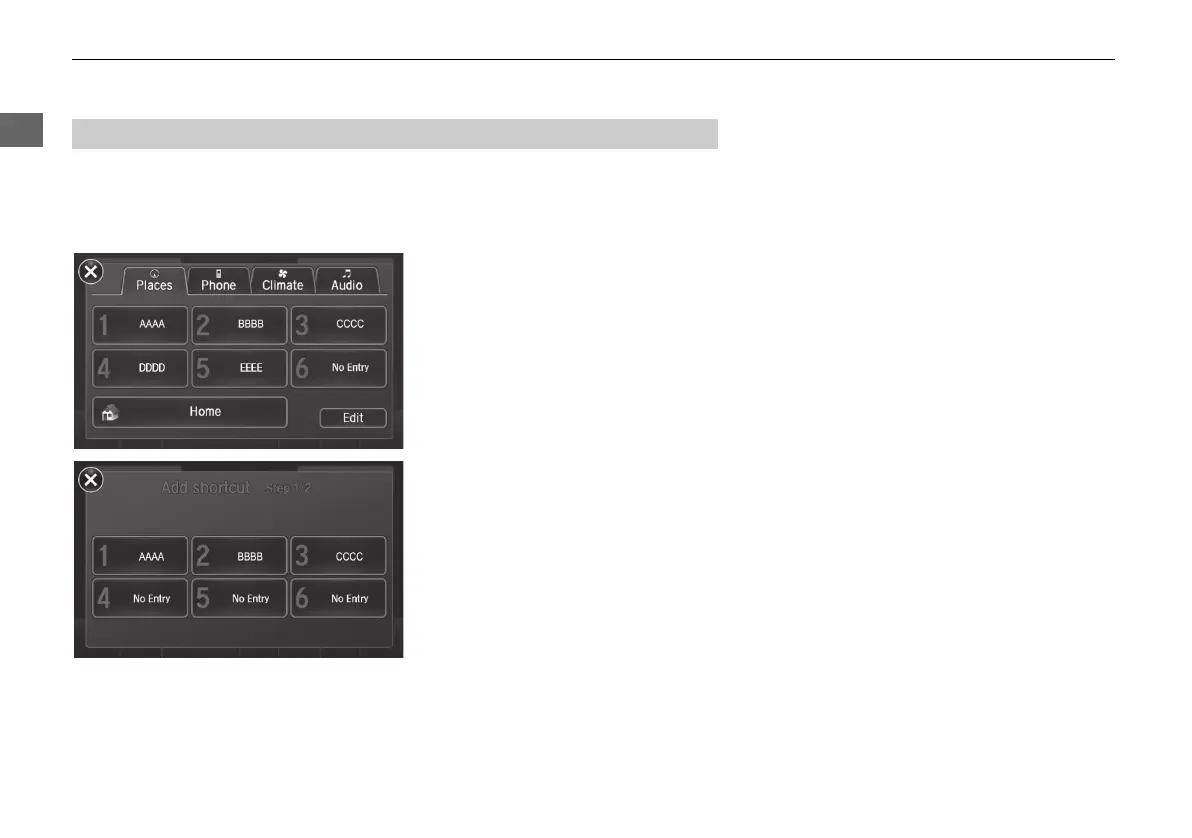
You can store up to six addresses previously stored in your Address Book, and a
home address for your preset destinations.
■ Storing an address on the Shortcut
1. Select Shortcuts.
2. Select Places.
3. Select Edit or No Entry.
X
If you select No Entry, go to step
6.
4. Select Add.
X
All six preset icons appear.
5. Select the preset number to which
you want to store an address.
X
The screen changes to a list of
addresses stored in your address
book.
■ Setting Place Shortcuts
MDX_KA-31TZ58210.book 46 ページ 2015年8月31日 月曜日 午後1時48分


 To Next Page
 Loading...




