29
Interface Settings
Clock Adjustment
Clock Adjustment
H SETTINGS button
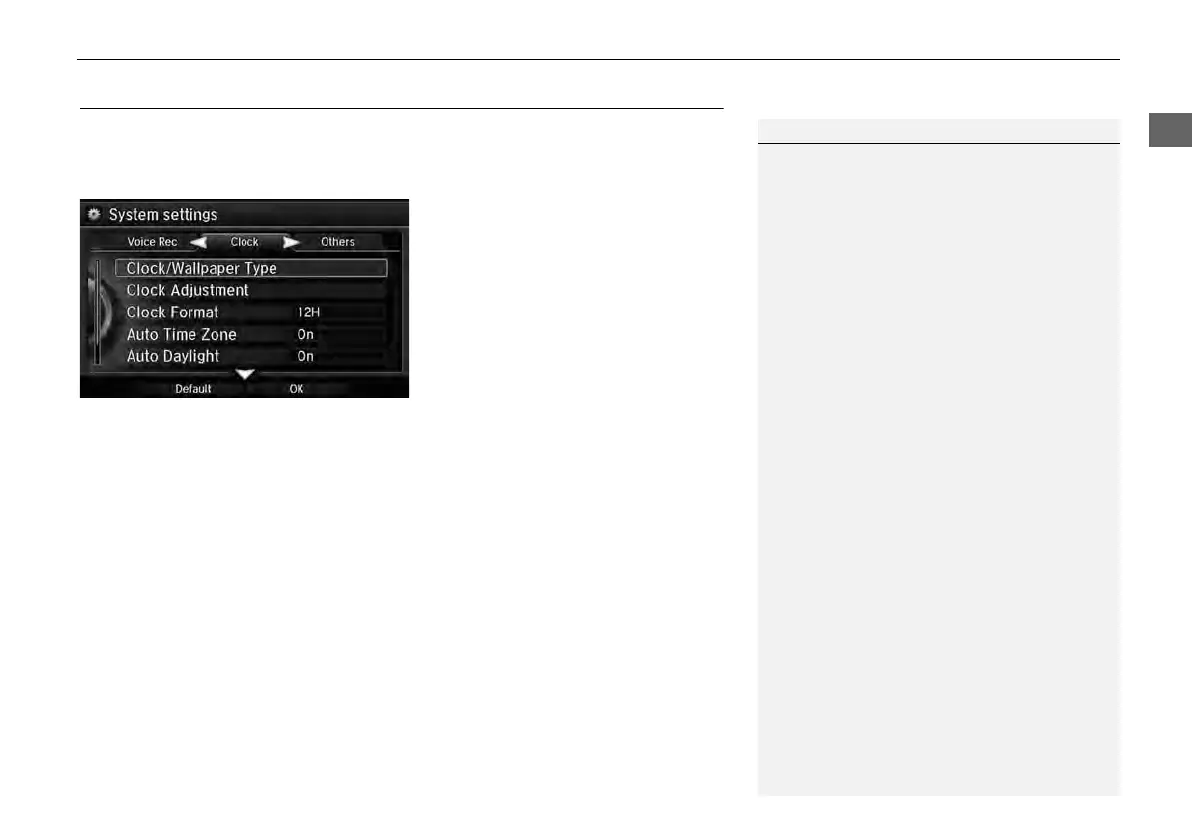
System Settings
Clock
Set the automatic adjustment of the system clock for daylight saving and
international time zones.
Rotate i to select an item. Press u.
The following items are available:
• Clock/Wallpaper Type: Changes the clock display type and the wallpaper type.
2
Setting the Clock Type P. 30
• Clock Adjustment: Adjust the current time manually.
2 Setting the Clock P. 30
• Clock Format: Sets the time notation to either 12-hour clock (12H, factory
default) or 24-hour clock (24H).
• Auto Time Zone: The navigation system automatically adjusts the clock when
driving through different time zones.
On (factory default): Adjusts the clock automatically.
Off: Disables the feature.
• Auto Daylight: The navigation system automatically adjusts the clock (“spring
ahead” or “fall back” by one hour) when a daylight saving time change occurs.
On (factory default): Adjusts the clock automatically.
Off: Disables the feature.
• Clock Reset: Resets the settings of all items in the Clock group.
1 Clock Adjustment
Auto Time Zone
If you live and work in two different time zones,
you may want to turn Auto Time Zone to OFF.
When driving near a time zone boundary, the
displayed time zone may fluctuate between the
two zone times.
Auto Daylight
This function is not activated in areas that have
not adopted daylight saving time, even if you
have set Auto Daylight to ON.
You can turn the clock display in the navigation
screen on and off.
2 Header Clock Display P. 37



 To Next Page
 Loading...










