1 5
2
43
Boiler Protection
P3
DHW
P4
84°C
61°C
1
2
CH
Target = 85°C
HeatMaster
Radiator icon: indicates that a cen-
tral heating call has been received.
A small number 1 or 2 indicates
which CH calls are active.
Tap icon: indicates that a DHW call has
been received.
Circulator icons: indicate which circula-
tors are currently powered.
Status line: displays the current oper-
ating state of the appliance. See “Status
Messages” on page 7.
Basic information. The user can
toggle the items using the LEFT
and RIGHT keys and view target,
Supply, Return, Domestic, Out-
door and System temperatures.
The appliance type is indicated at the top of the screen. The type and model
are factory preset.
The appliance is represented in the centre of the Home Screen. Basic operat-
ing information such as supply and return temperatures are displayed as well
as current burner status.
A ame symbol is displayed when the
unit is red. The ame size changes to
indicate the current ring rate.
HeatMaster 201: A1004320 - 664Y7500 • A
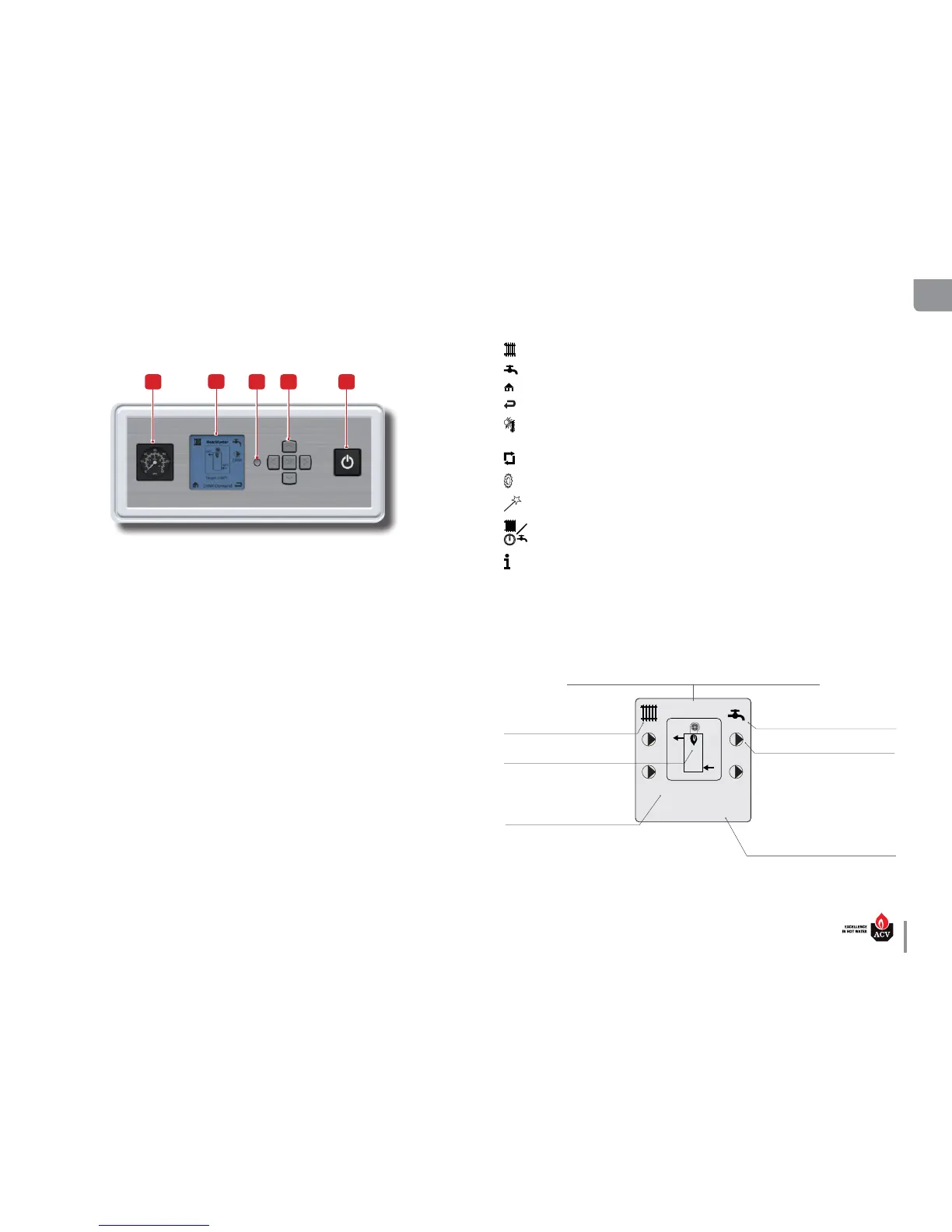
CONTROL PANEL AND DISPLAY
Panel Description
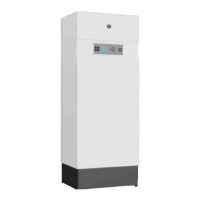
1. Pressure gauge - Indicates the primary circuit pressure (min. 1 bar when cold).
2. ACVMAX LCD Display - It is the setup interface of the appliance and indicates the parameter val-
ues, the error codes and the set-up status of the parameters. It displays a series of screens, each
showing information and/or icons. The main icons are detailed on the right.
3. Installer button - Allows the installer to access the menus of the ACVMAX controller to set up the
system.
4. Arrow keys and OK key - to browse through the screens of the ACVMAX controller, set up the
appliance, increase and decrease the displayed values and validate the selections and access the
Easy set-up screens. The OK key is also used to RESET the appliance after a locking (follow the in-
structions on the screen).
5. ON/OFF master switch of the appliance - To turn the appliance ON and OFF.
Main settings of ACVMAX Display
• Screen backlight - it will illuminate when any button is depressed, and remain illuminated for ve
minutes.
• Screen contrast - it can be adjusted at the Home screen by pressing and holding the OK button, then
pressing and holding the LEFT button along with the OK button. Press the UP and DOWN button
to increase or decrease the contrast while holding the OK and LEFT buttons depressed. All buttons
must be released and the procedure performed again to switch between increasing and decreasing
contrast.
Typical items shown on the Home screen:
Main Icons of ACVMAX display
Central Heating - indicates information related to the CH circuit.
DHW - indicates information related to the Domestic Hot Water circuit.
Home - to go back to the main menu screen.
Back - to go back to the previous screen.
Warm weather shutdown - displays on the home screen when the outdoor temperature
reaches the Warm Weather Shutdown preset temperature.
Reset - to reset the system to the factory settings.
Parameters - to access to the setup of controller parameters (language, units, etc.).
Easy setup - Indicates parameters that can be accessed through the EZ setup.
CH/DHW operation - To enable/disable the concerned circuit.
Information - To get information on the appliance.



 To Next Page