- 27 -
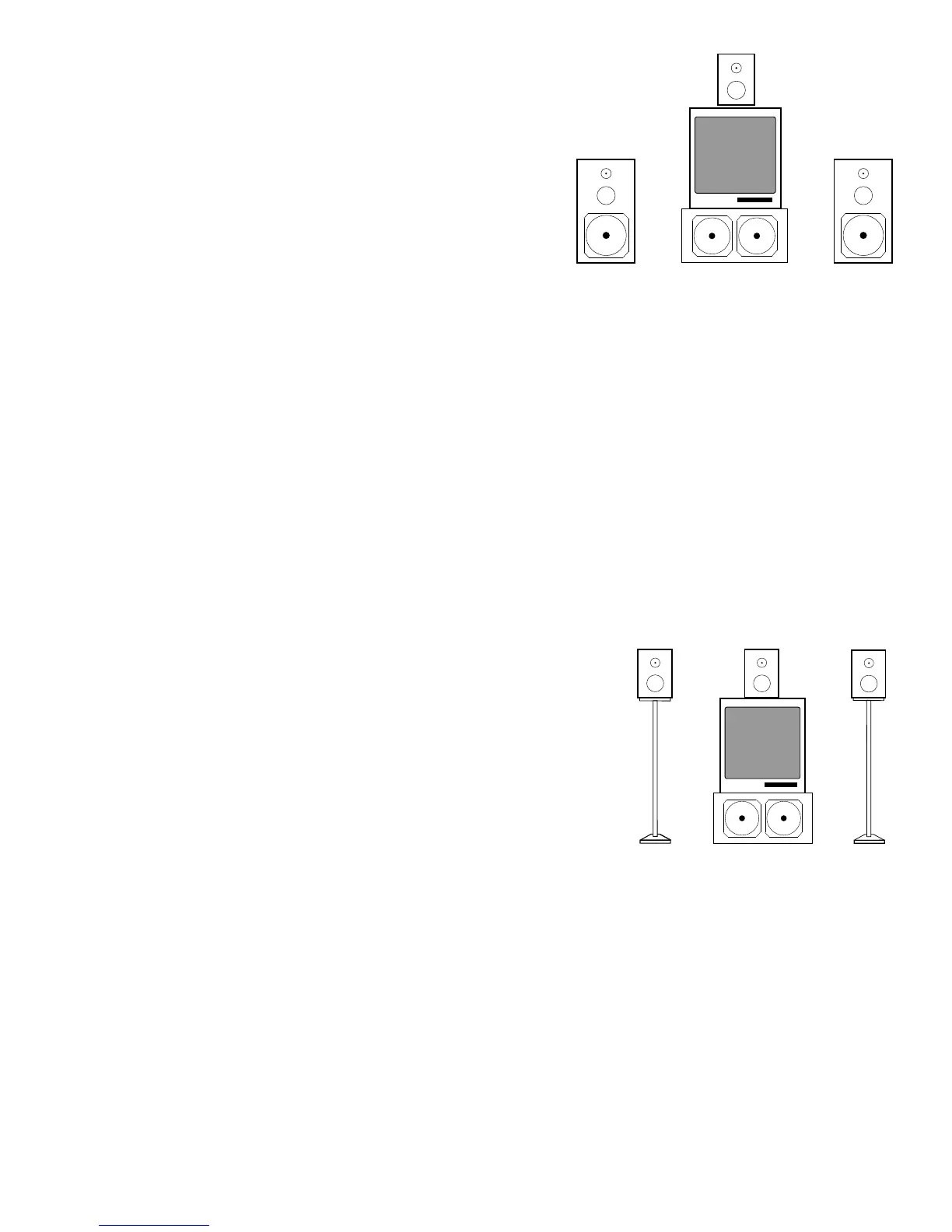
OPTION ONE - Small Center & Large Right/Left Speakers
You can use a small speaker placed either above or
below the TV set for the Center channel. When
working with larger full-range (good with bass fre-
quencies) front channel speakers and a smaller (poor
bass-handling) center channel speaker, as illustrated
to the right, you will want to engage the 80Hz Cutoff
filter for the center channel and make certain it is off
for the front right and left channels.
Step 1 Press the SETUP MODE button. Please note, the SSD-66 (5.1) will automatically
timeout of the "Setup Mode". If this happens, press the SETUP MODE button
again.
Step 2 Repeatedly press the CENTER button until the display reads "SMALL SPKR".
Step 3 Repeatedly press the RIGHT button until the display reads "LARGE SPKR".
Step 4 Press the INPUT SELECT b utton to exit the "Setup Mode".
At this time, you have set the 80Hz cutoff filter in the "on" position for the center channel while
leaving it "off" for the front right and left speakers. You can now proceed to the next section
describing surround speakers and subwoofers.
OPTION TWO - Small Center & Small Right/Left Speakers
For the best results, three identical loudspeakers should
be used for the center, front left, and front right channels.
These speakers can be THX Home theater speakers or
other smaller type speakers were the bass handling capa-
bilities are somewhat limited. The illustration to the right
shows identical speaker sizes, and their appropriate place-
ment.
In this option, you will want to engage the 80Hz Cutoff
filter for the center channel and the front right and left chan-
nels.
Step 1 Press the SETUP MODE button. Please note, the SSD-66 (5.1) will automatically
timeout of the "Setup Mode". If this happens, press the SETUP MODE button
again.
Step 2 Repeatedly press the CENTER button until the display reads "SMALL SPKR".
Step 3 Repeatedly press the RIGHT button until the display reads "SMALL SPKR".
Step 4 Press the INPUT SELECT button to exit the "Setup Mode".
At this time, you have set the 80Hz cutoff filter in the "on" position for the center, left and right
channels. You can now proceed to the next section describing surround speakers and
subwoofers.
LR
SUBWOOFERLarge Speaker Large Speaker
Small Speaker
L
C
R
SUBWOOFER
Small Speaker Small Speaker Small Speaker



 To Next Page