- 29 -
Global Setup (cont.) - Surround Speaker Setup
The surround speakers should be located behind or to either side of the listener. As long as
a good diffused sound can be obtained from the surround channel, it is not vital that these
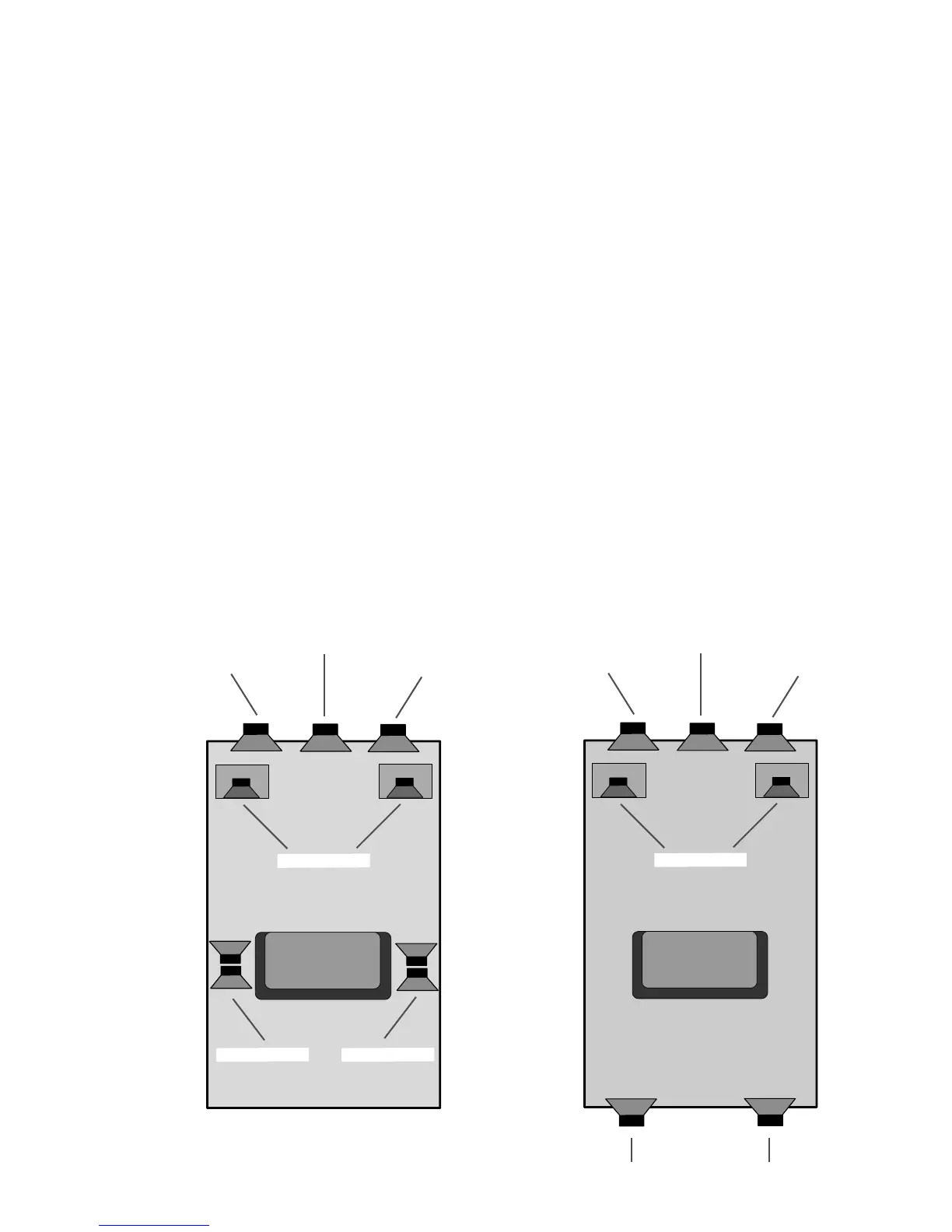
speakers should be at the same height as the other speakers in the system. . The following
diagram shows one way of placing all the speakers.
The surround speakers can also be set to either run full-range (for larger surrounds) or have
the 80Hz cutoff filter on (for smaller surround speakers). To set the low-frequency filter:
Step 1 Press the SETUP MODE button. Please note, the SSD-66 (5.1) will automatically
time-out of the "Setup Mode". If this happens, press the SETUP MODE button
again.
Step 2 Repeatedly press the REAR button until the display reads "LARGE SPKR" or
"SMALL SPKR". If you are using full-range speakers, leave the display set to
"LARGE SPKR". If you are using small speakers, leave the display set to "SMALL
SPKR".
Step 3 Press the INPUT SELECT button to exit the "Setup Mode".
The two diagrams below detail the most common types of surround channel speaker configu-
rations. The diagram to the left is illustrated with di-pole speakers that fire forward and reward
where the surround information is reflected off of the front & rear walls (THX Configuration).
The diagram to the left uses a "directional" surround channel speaker configuration.
FRONT (LEFT)
FRONT (RIGHT)
CENTER
SUR. (LEFT)
SUR. (RIGHT)
SUBWOOFERS
FRONT (LEFT)
FRONT (RIGHT)
CENTER
SUBWOOFERS
SUR. (RIGHT)
SUR. (LEFT)



 To Next Page