- 54 -
Dolby AC-3 Surround Sound Modes
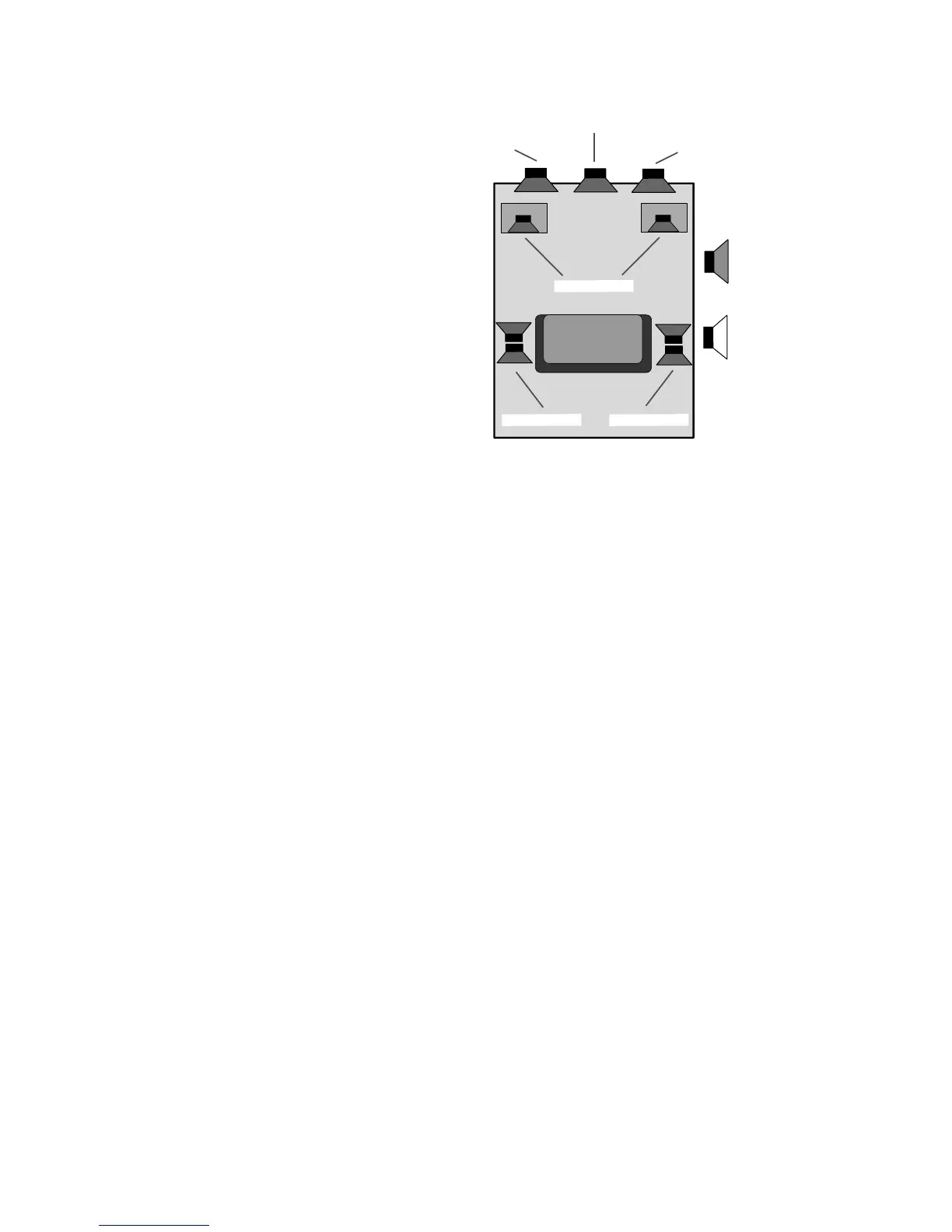
The SSD-66 (5.1) has two AC-3 surround sound
modes which will decode AC-3 source material in
a discrete six channel array. Each of the front
three speakers and the two surround speakers
receive their own distinct audio signal. The
subwoofer also receives its own audio signal called
"low frequency effects" or more commonly "LFE".
The two modes for AC-3 decoding are "DOLBY
AC-3" and "AC-3 NIGHT". Both modes utilize the
full complement of AC-3 filters. "AC-3 NIGHT"
automatically engages two additional filter settings
which reduce the loudest passages (bangs and
booms) and raises the lowest passages (whis-
pers). Thus, when in the "AC-3 NIGHT" mode,
the sound levels are never to loud and never too low, making it ideal for viewing movies when
loud passages could disturb persons who are sleeping.
The AC-3 data bit stream is more than just the audio information from the movie sound track
or musical performance. AC-3 bit streams contain several flags and additional information
which is read and understood by the SSD-66 (5.1). Thus, the SSD-66 (5.1) can adjust itself
based on the type of information being provided by the laser disc, DVD disc, or broadcast.
Step 1 Repeatedly press the INPUT SELECT button until you are on an AC-3 Input Label.
Peak Limit Filter
Step 2 Repeatedly press the SETUP MODE button until the display reads "PEAK LIMIT
ON" or "PEAK LIMIT OFF". The Peak Limit filter is a digital limiter to prevent over-
loading. ADA recommends that this filter always be in the "ON" position.
Step 3 Use the VOL UP or VOL DN buttons to switch between "PEAK LIMIT ON" or "PEAK
LIMIT OFF".
Auto Balance Filter
Step 4 Press the SETUP MODE button once to advance the SSD-66 (5.1)'s display to
read either "AUTO BALANCE ON" or "AUTO BALANCE OFF". The auto balance
circuit will only work for Pro Logic signals encoded onto AC-3 channels. As this is
irregular but may occur, ADA suggests that this filter be left in the "ON" position.
The Auto Balance feature balances the two channels of a stereo input signal to with
3 dB.
Step 5 Use the VOL UP or VOL DN buttons to switch between "AUTO BALANCE ON" or
"AUTO BALANCE OFF".
Repeat Count
Step 6 Repeatedly press the SETUP MODE button until the display reads "REPEAT
COUNT". The Repeat Count filter is an error detector which samples the data
coming into the SSD-66 (5.1). The range for the repeat counter is "000" through
FRONT (LEFT)
FRONT (RIGHT)
CENTER
SUBWOOFERS
SUR. (RIGHT)SUR. (LEFT)
SPEAKER ON
SPEAKER OFF



 To Next Page