- 50 -
Music Surround Sound Modes
The SSD-66 (5.1) has a variety of modes for AC-3 decoding, Pro Logic decoding, TV viewing,
and music listening. This section will describe the functions of each mode and the specific
parameters available with each mode. As you will see, AC-3 has the most decoding options,
Pro Logic has a portion of decoding options, and the music modes will have their own set of
decoding options. Please spend some time to review this section to familiarize yourself with
these modes.
Surround Sound Modes for Music
The following modes are designed for reproduction of two channel music source material.
Stereo, Music, Quad Bypass, & 5 Ch Bypass
Please note that
Phantom and Phantom Plus
can also be used for music. Also, since some
music material may be encoded in either Dolby AC-3 or Dolby Pro Logic, you may use these
modes for music playback in addition to the more generic music modes.
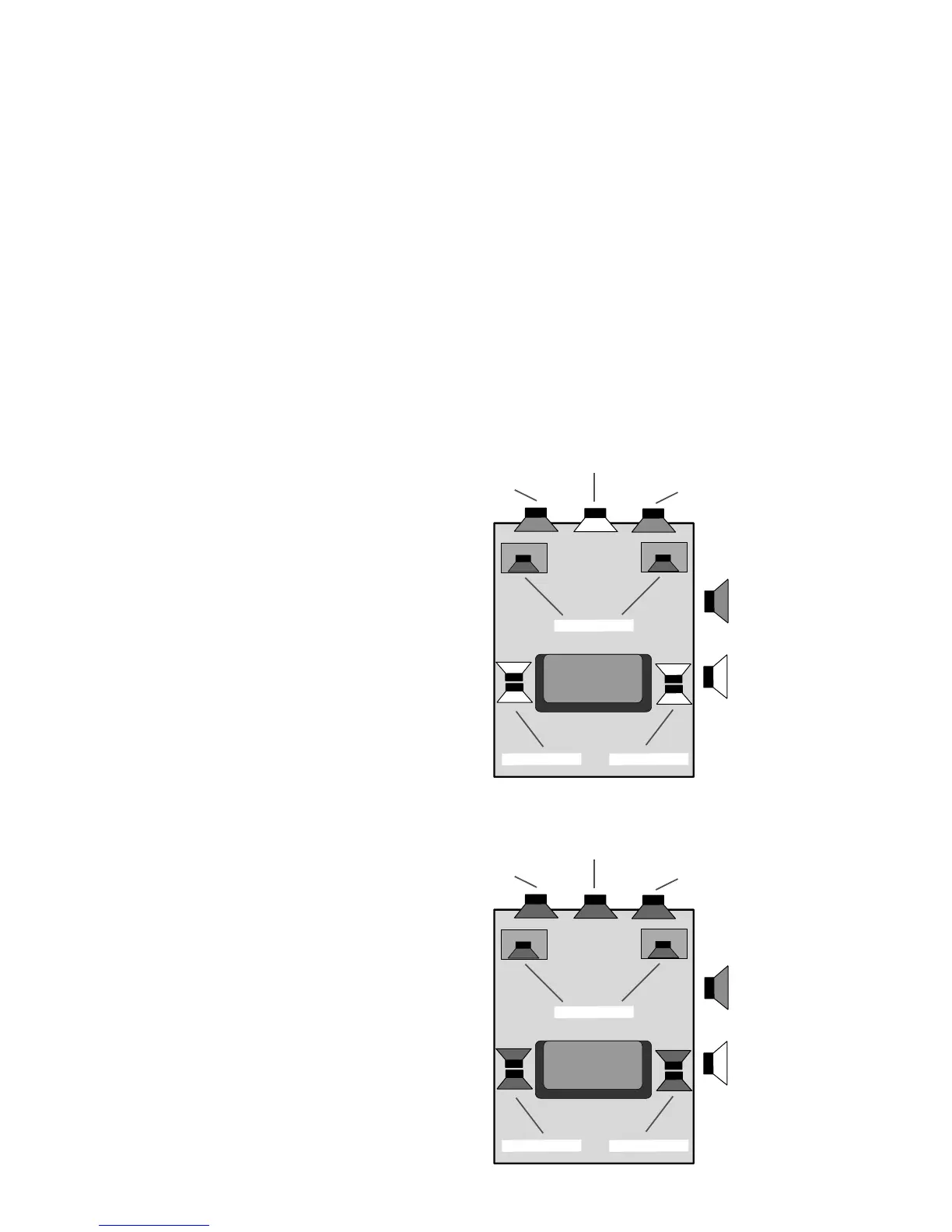
Stereo Mode
The Stereo Mode is a two channel bypass mode
in which the two front channels are active. The
subwoofer is also active and will provide bass in-
formation dependent upon your system's setup.
The speakers shaded in gray are the active speak-
ers. The speakers that are shaded white are the
inactive speakers.
There are no optional settings for this mode other
than the Acoustical Parameters set for each Input
Label as previously discussed.
Music Mode
The Music Mode is based on Dolby Pro Logic
mode and all speakers can be active for this mode
including the subwoofer. What makes the Music
mode different from the Dolby Pro Logic mode is
that the Dolby Noise Reduction filters for the two
surround channels is off in the Music mode. Thus
the rear channels receive the full 20 Hz to 20,000
Hz bandwidth rather than the 20 Hz to 7,500 Hz
bandwidth as mandated for Dolby Pro Logic.
The Music mode has one optional filter in addi-
tion to the variable Acoustical Parameters set for
each Input Label. This is the Auto Balance filter
which can be set to either on or off. When the
FRONT (LEFT)
FRONT (RIGHT)
CENTER
SUBWOOFERS
SUR. (RIGHT)SUR. (LEFT)
SPEAKER ON
SPEAKER OFF
FRONT (LEFT)
FRONT (RIGHT)
CENTER
SUBWOOFERS
SUR. (RIGHT)SUR. (LEFT)
SPEAKER ON
SPEAKER OFF



 To Next Page