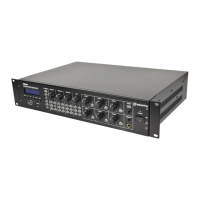
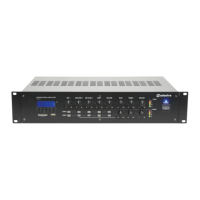
RM244V & CS4 User Manual
Troubleshooting
No power LED on control panel
Ensure IEC lead is in good condition and connected properly
Ensure POWER switch is on and check mains inlet fuse
Power LED is on but no other LEDs
and no output
Check input signals and condition of input connection leads
Check Master, Mic/Line, Aux or Media level controls are turned up
Power light and output LEDs
lighting but no output
Check speaker output terminals are connected correctly
Check speakers are working (test on another amp if available)
USB/SD player will not play audio
from media
Press PLAY on transport controls
Check memory device is connected properly (remove and re-insert)
Check file types – standard compressed digital audio files required
Check memory device works on a PC or Mac for standard playback
Ensure that Bluetooth is enabled on sending device
Ensure that the sending device is within Bluetooth range (5-10m)
Check that “adastra” is the connected device
If there are more than one “adastra” devices, check each in turn
If one of many “adastra” devices, rename it on the sending device
No audio from Bluetooth device
Ensure that volume controls are not turned down on sending device
Check volume and Play/Pause buttons in case Bluetooth is muted
Output is very loud or distorted
Check level of input signal is not too high
Reduce Mic/Line, Aux, Media and/or Master level
Check Mic/Line DIP switch setting is not set to Mic for a line input
Output is working but at very low
level
Check input audio source level is not too low
Increase MIC, LINE IN, USB/SD and/or Master level
Check output level setting on Bluetooth connected device
Check for quiet recording of media files on USB
Check Mic/Line DIP switch setting is not set to Line for a mic input
Check Mic/Line 1 muting level is not suppressing audio playback
No output from CS4 call station
Ensure paging mic is connected correctly and mic level is turned up
For Aux input, check that input is playing and Aux level is turned up
If cable run is longer than 100m, connect a 24Vdc power supply
Check that required zones are selected and level is not turned down
Check that priority of another CS4 is not set to override
Check 20V phantom power is enabled if using a condenser microphone
For CS4 microphone, if cable run is >100m, add a 24Vdc power supply
Face microphone away from speakers and monitors
Turn down Mic/Line and/or Master level
Ensure cooling vents are clear from debris and dust
Check that 4Ω or 8Ω speakers are not connected to 100V terminals
Ensure total 100V speaker wattage is lower than amplifier rating
Disposal: The “Crossed Wheelie Bin” symbol on the product means that the product is classed as Electrical or
Electronic equipment and should not be disposed with other household or commercial waste at the end of its useful life.
The goods must be disposed of according to your local council guidelines.
Errors and omissions excepted.
Copyright© 2016. AVSL Group Ltd.


 To Previous Page