Install PyAudio
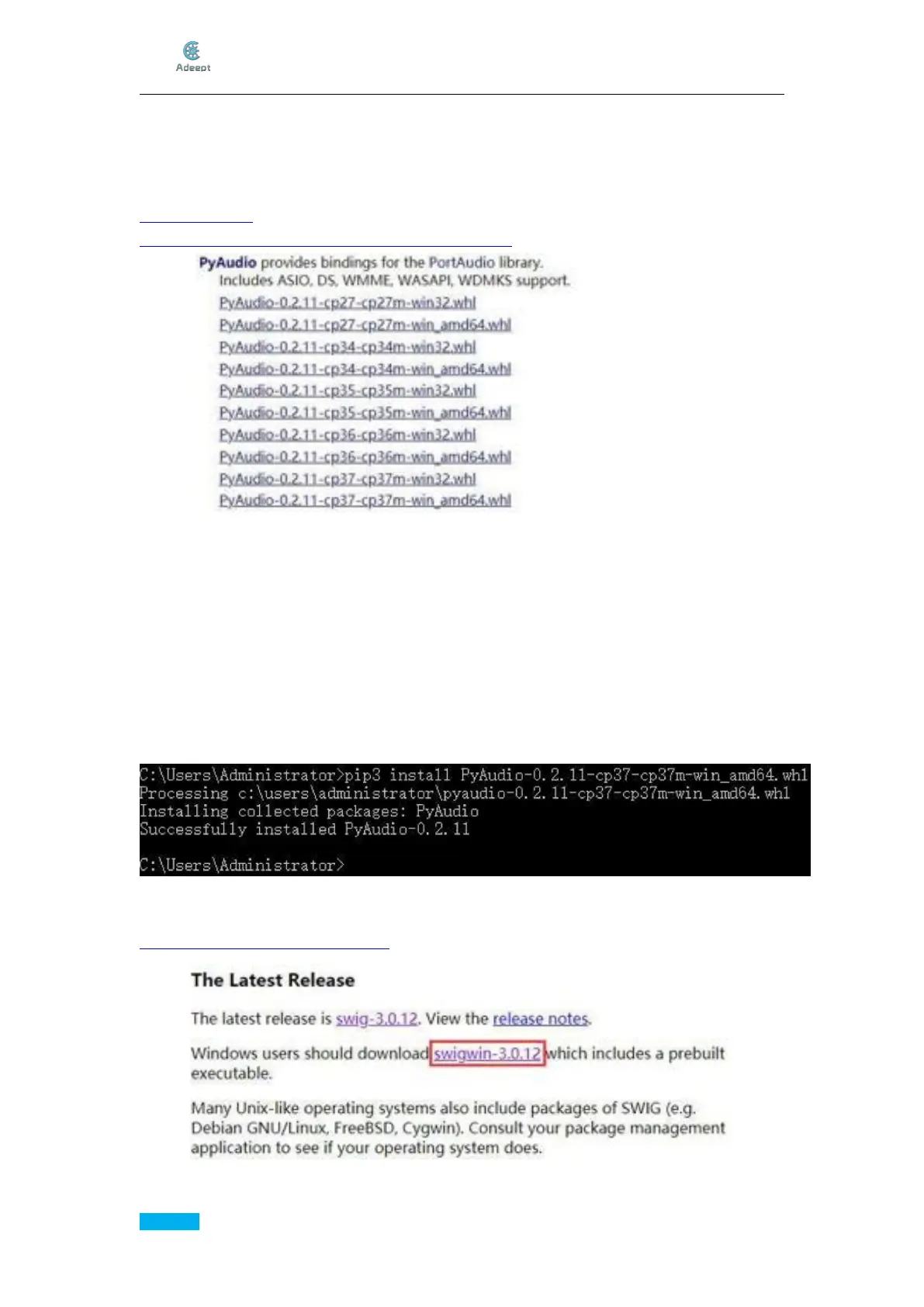
Download pyaudio.whl to install PyAudio or you may install Visual C++ 14.0 to build the
wheel, which takes a lot of space and time.
You don’t have to install Visual C++ to build the wheel, you can down the wheel from
www.lfd.uci.edu , but you must choose the right version of wheel for your Python.
https://www.lfd.uci.edu/~gohlke/pythonlibs/#pyaudio
In our case, we download PyAudio-0.2.11-cp37-cp37m-win_amd64.whl for Python3.7 on
x64 OS.
(If you are using a x86 system, you need to download
PyAudio-0.2.11-cp37-cp37m-win_win32.whl)
Download it and save it in C:\Users\Administrator\ so you don’t have to input the path
when installing the wheel.
Install PyAudio using pip:
pip3 install PyAudio-0.2.11-cp37-cp37m-win_amd64.whl
That is a long name but you can input pip3 install Py and then press the Tab on the left
side of the keyboard to let the computer finish it.
Download Swig:
http://www.swig.org/download.html



 To Next Page