Download it and save it in C:\Users\Administrator\ so you don’t have to input the path
when installing.
Now you can install OpenCV_python:
pip3 install opencv_python-3.4.3-cp37-cp37m-win_amd64.whl
And then you need to install zmq and pybase64(same reason in RPi):
pip3 install zmq pybase64
3.5. Run the PiCar-B
Start
Switch on the car.
After a while, if the LEDs turn red, it means the car’s server is connected to a Wi-Fi waiting
for the PC client to join.
If there is no Wi-Fi for the car to connect with, the LEDs turn blue,itmeansthecarhasset
up an AP-Hotspot, you can use your PC to search it, the RPi Car’s AP-Hotspot’s SSID
name is AdeeptCar and password is 12345678.
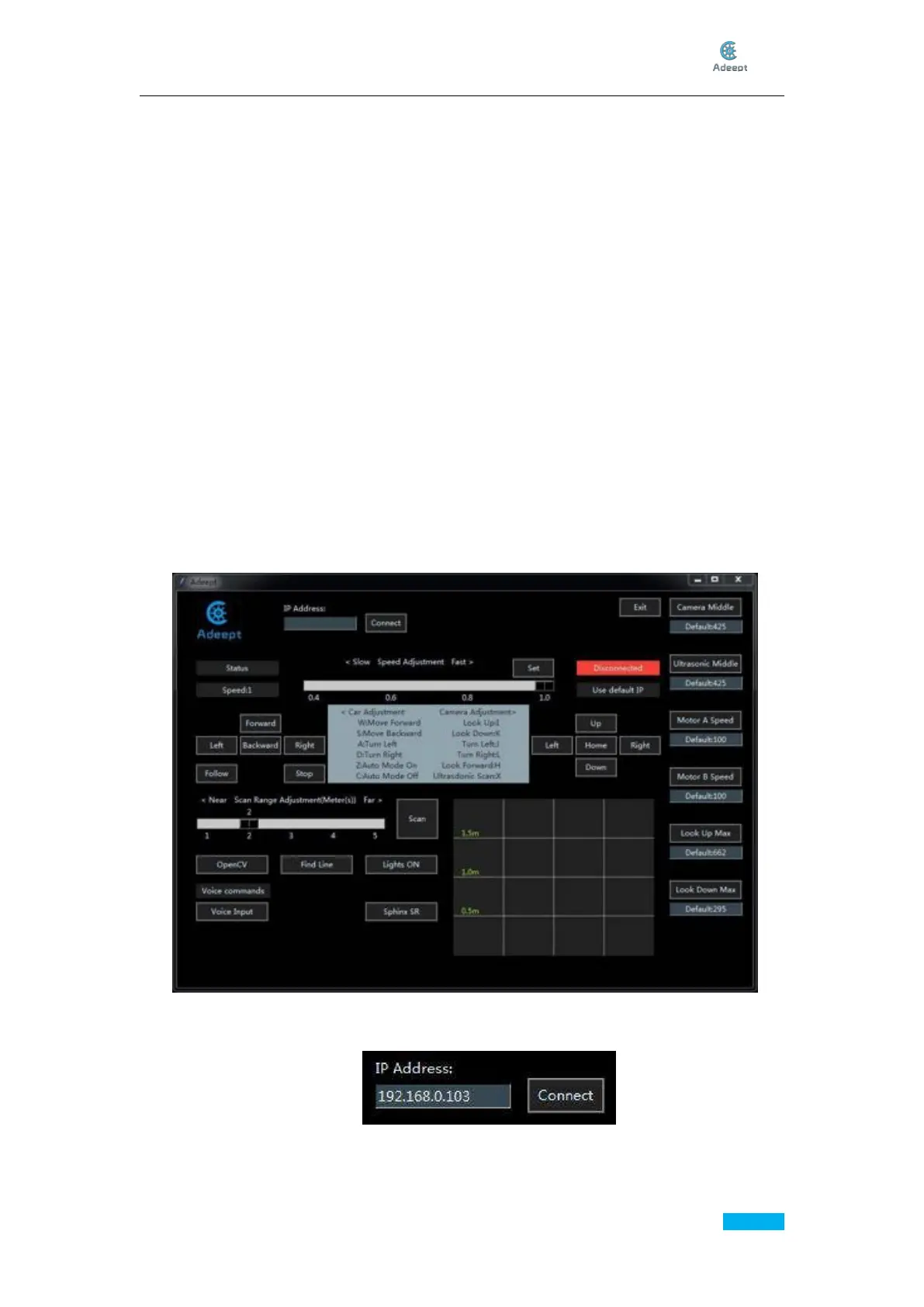
Then implement operations in Windows.
Double click to run the file client.py in the folder client.
For initial running, you need to enter the IP address of the Raspberry Pi car IP Address,
then click Connect, and the program will connect to the Raspberry Pi.



 To Next Page