Operation and Display
C220/C420 General Flux Vector Control Inverter User Manual
operation, this button characteristic is limited
by the function code F7-02
QUICK/JOG QUICK/JOG
F7-28 is to set 0 it indicates quick key, F7-28 is
to set 1,it shows Jog key, then pressing this key
shows in reverse
4.2 Description of Function Code Viewing and
Modification Methods
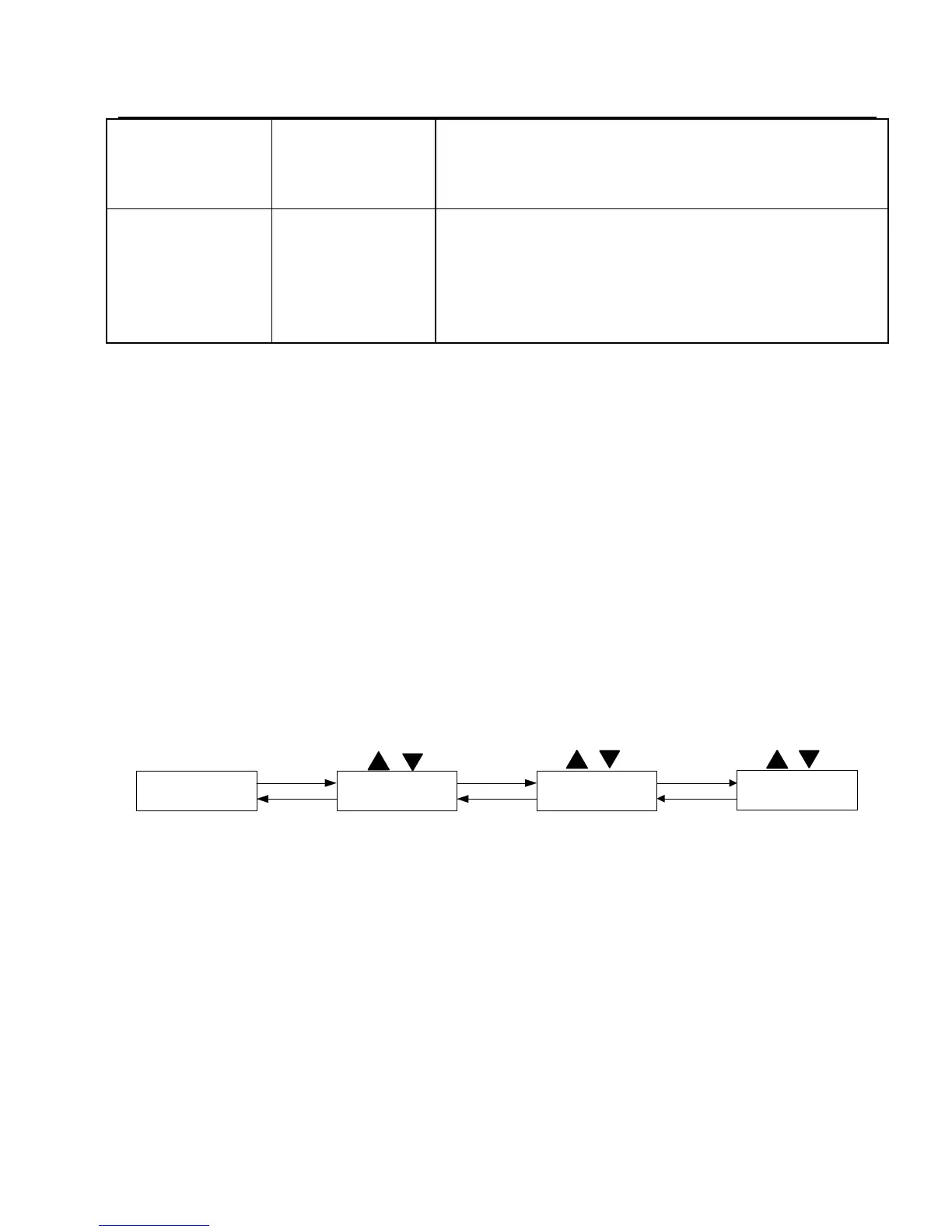
The operation panel of the C220/C420inverter adopts there level menu
structure to carry out operation such as parameter setting
The three-level menu includes function parameter set (level 1 menu)
→Function code (level 2 menu) →Function code setup value (level 3). Refer to
Fig.4-4 for the operation procedure.
50.00
F0
F0-11
050.00
ENTER
PRG/
ENTER
ENTER
PRG
PRG
PRG
Fig .4-4 the operation procedure of three-level menu
Caution: when operation on level 3 menu, press PRG key or Enter key to
return to level 2 menu. The difference between them is described as
follows :Pressing Enter key will save the setup parameter and return to the level 2
menu ,and then automatically shift to the next function code ,while pressing PRG
key will directly return to level 2 menu without saving the parameter, and it will
return to the current function code.
Example: Modify the function code F2-02 from 50.00H2 to 20.00H2 ( the
bold-type work indicates the flashing bit)



 To Next Page