FWA-1112VC_UserManual_Ed1 Copyright 2020 Advantech Co. Ltd. All rights reserved.
Page 50
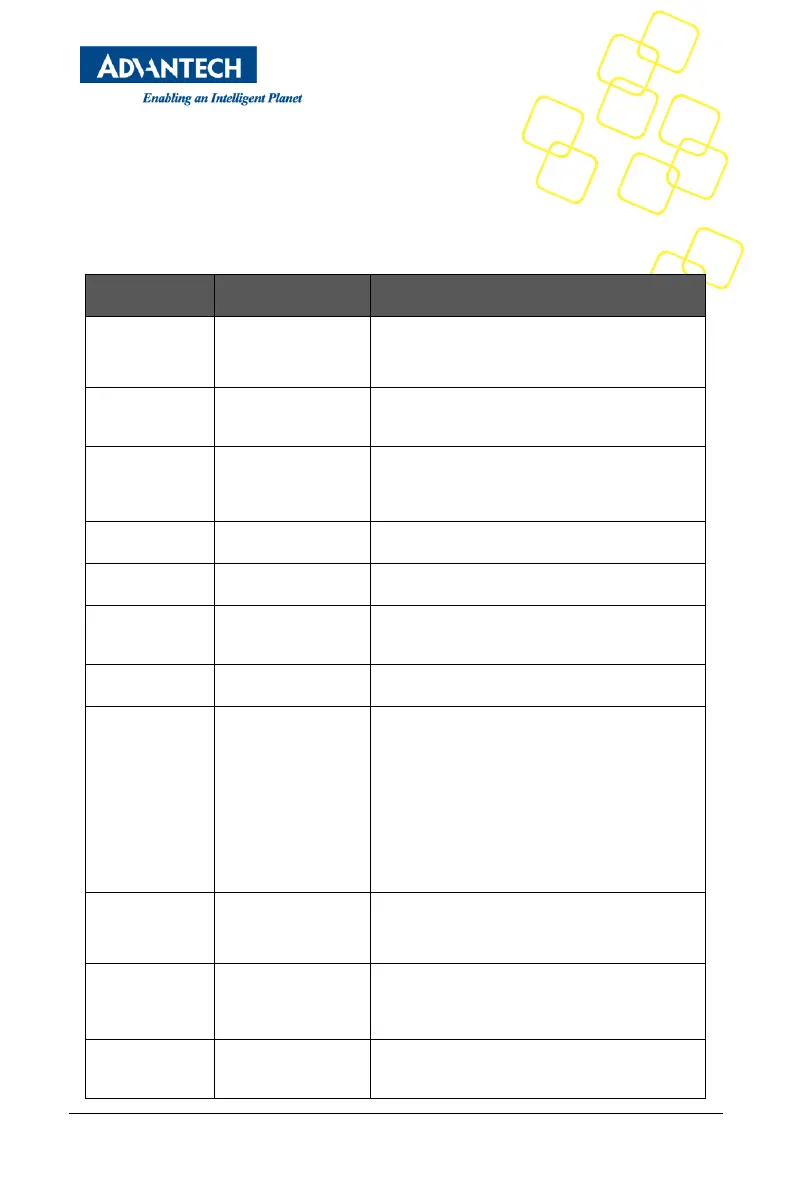
The settings for COM0 console can be accessed in this menu.
This sub menu allows you to change the settings used for the serial console. For example,
users can define the terminal type, bits per second, data bits, parity, stop bits and others.
Table 9 Platform Setup: COM0 Console Redirection Menu Items
Disabled / Enabled Console Redirection
9600 / 19200 /
38400 / 57600 /
115200
Defines number of data bits in a character.
Defines number of stop bits in a character.
None / Even / Odd /
Mark / Space
Defines the parity scheme used.
Defines the flow control scheme.
ANSI / VT100 /
VT100+ /
VT-UTF8
Select the target terminal emulation type:
- ANSI to use the Extended ASCII Character Set.
- VT100 to use the ASCII Character set.
- VT100+ to add color and function key support.
- VT-UTF8 to use UTF8 encoding to map Unicode
characters into one or more bytes.
Enables VT-UTF8 Combination Key Support for
ANSI / VT100 terminals
When Enabled the data displayed on a terminal
will be captured and sent as text messages to a
remote server.
Enables or disables extended terminal resolution



 To Next Page