FWA-1112VC_UserManual_Ed1 Copyright 2020 Advantech Co. Ltd. All rights reserved.
Page 54
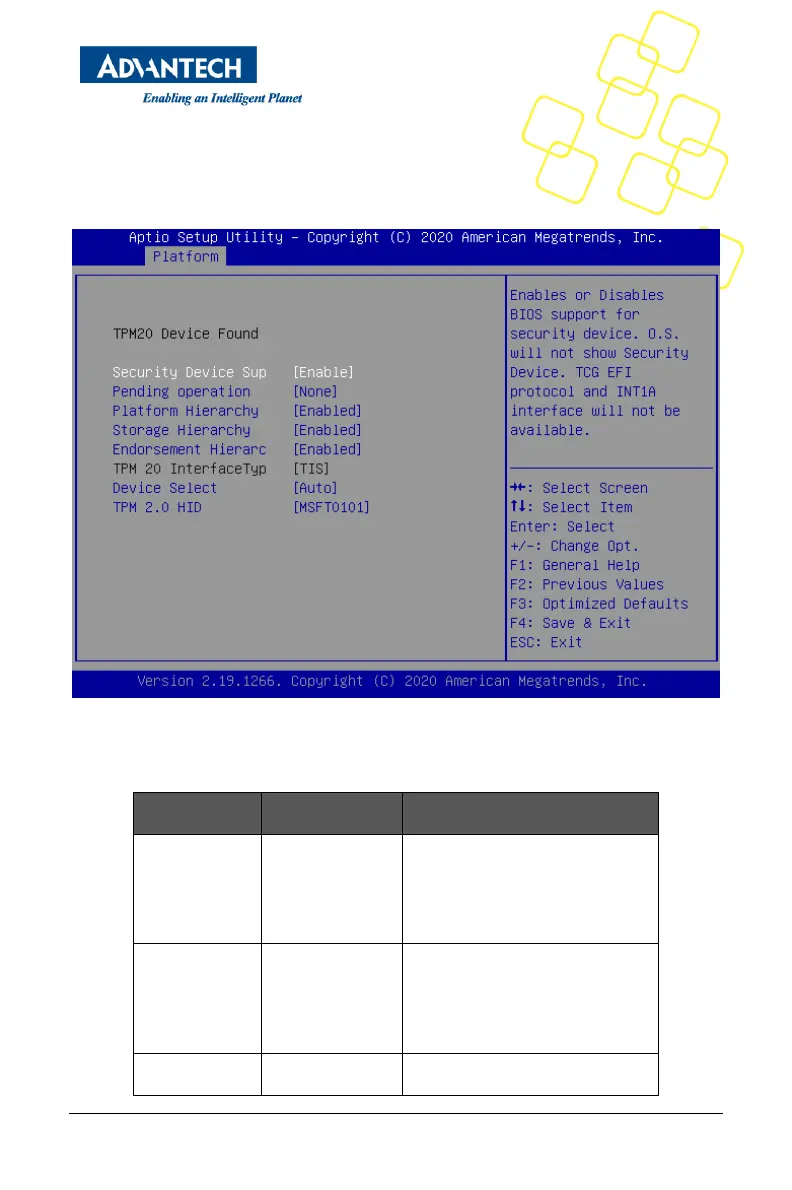
3.1.7 TRUSTED COMPUTING
Please note that Trusted Computing support is disabled by default in the factory defaults to
save system boot time. If disabled, the Trusted Computing Menu will not display any status
information.
Figure 45 Platform Setup_Trusted Computing
Table 11 Trusted Computing Menu
Enables or Disables BIOS support for
security device. O.S. will not show
Security Device. TCG EFI protocol
and INT1A interface will not be
available.
Schedule an Operation for the
Security Device. NOTE: Your
Computer will reboot during restart in
order to change State of Security
Device.
Enable or Disable Platform Hierarchy



 To Next Page