TPC-1570H User Manual 12
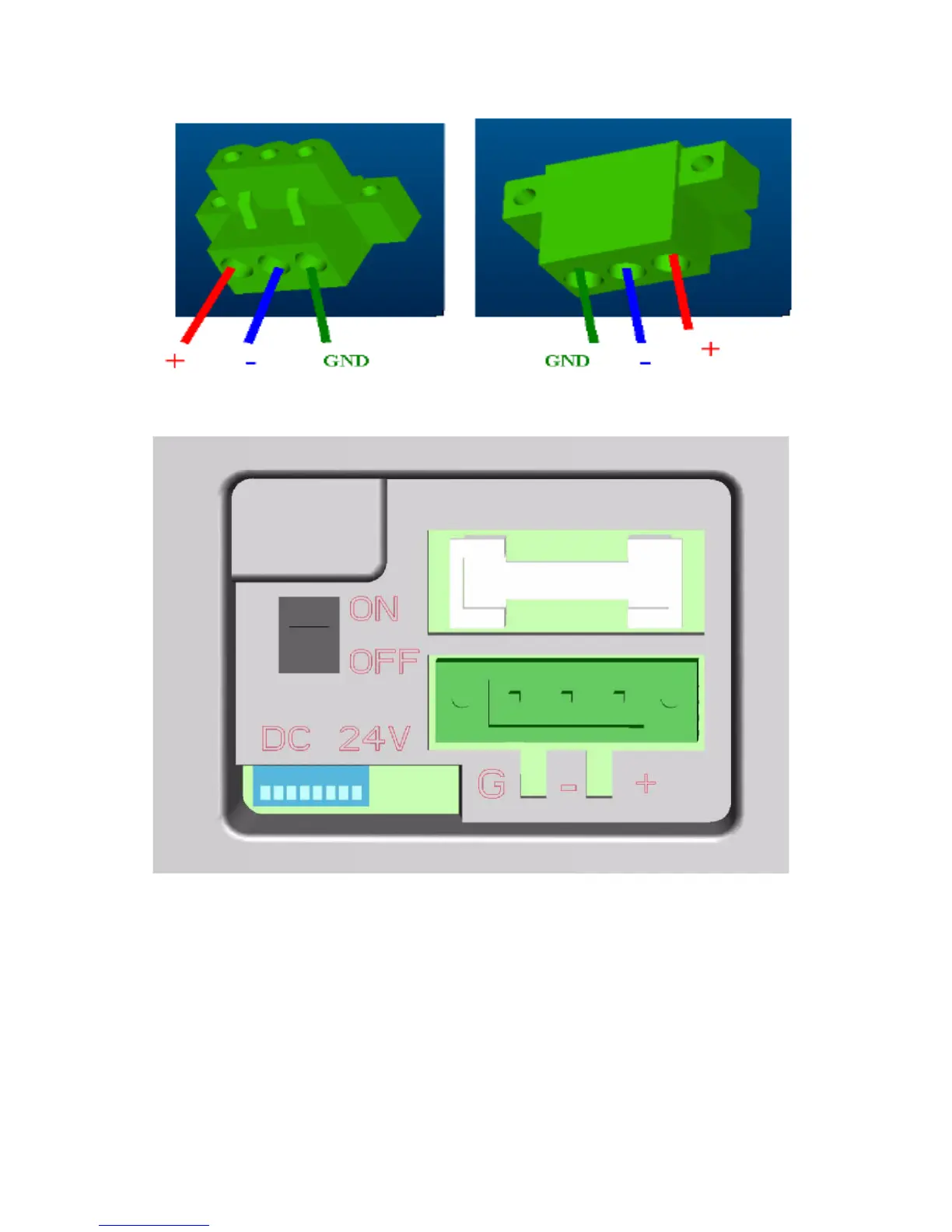
Figure 2.3: Power connector
Figure 2.4: Power receptor and button pin assignments
Step 4: Plug the power lines to the system power receptor.
Step 5: Push the power button to power on the system as the figure 2.4.
Step 6: Calibrate the touchscreen. Please go to
“Start”
Æ
”Programs”
Æ
”PenMount DMC9000 Utilities”->”Control
Panel” as the figure 2.5. Then, click the tab “Calibrate” to calibrate by
selecting the standard calibration or advanced calibration.












 To Next Page