41 Chapter 4
4.4 Dual Display Setting
If you use CRT monitor, you must Connections to CRT port in during
system boot up. During system boot up, the system will set CRT parame-
ter. If you have multiple devices, you can set them.
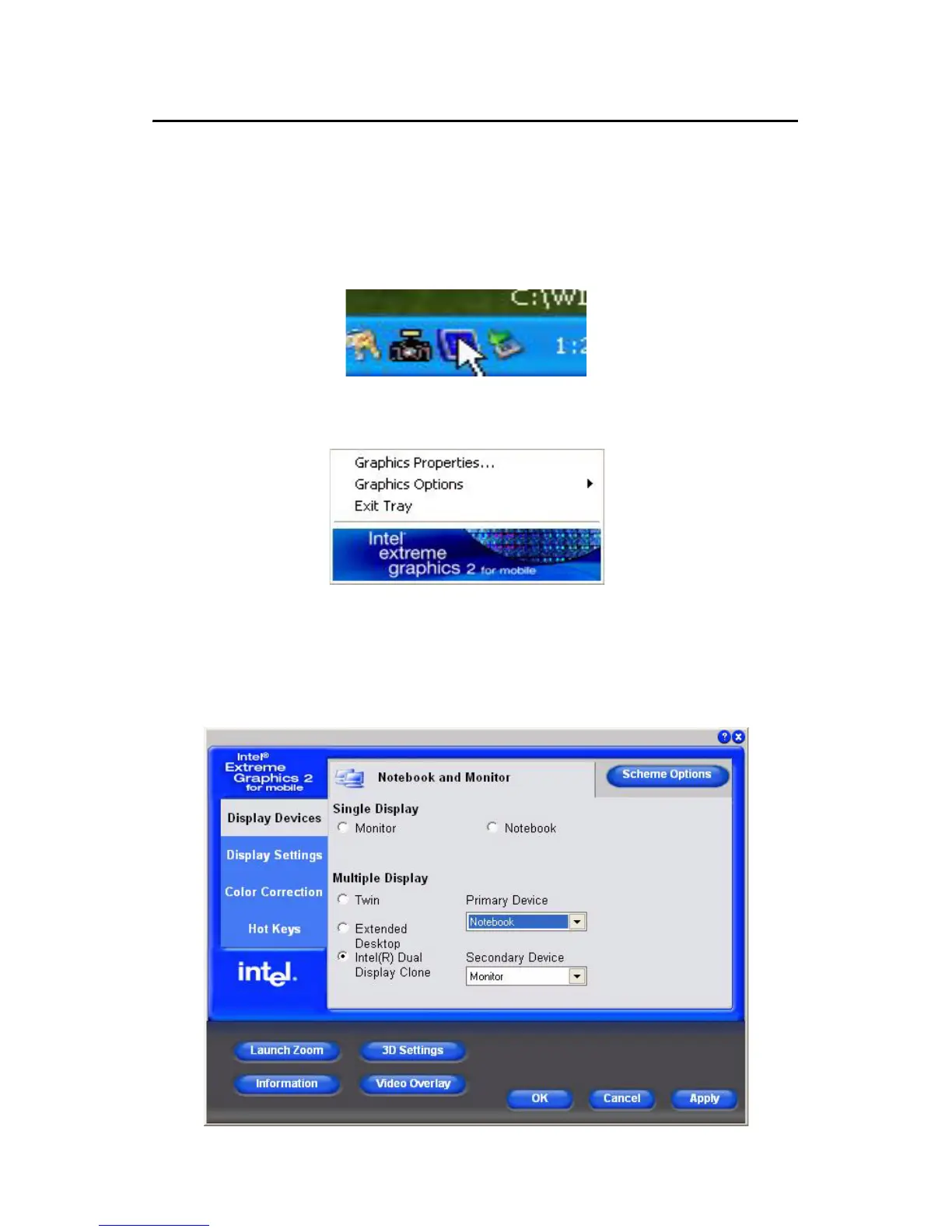
Step 1: Click Intel graphic icon from the toolbars
Step 2: Select Graphics Options -> Output Device
Step 3: This control allows selection of a device page. The currently
active is indicated by a checkmark on the icon. If you have multiple
devices, activation of an alternate device is accomplished by selecting
that device icon. Then, select either Apply or OK button. Intel Dual Dis-
play Clone is for CRT monitor and TPC-1570 LCD as the below.












 To Next Page