TPC-1570H User Manual 74
Appendix E HDD Kit Assembly
Please follow the assembly procedure to install the HDD into the system.
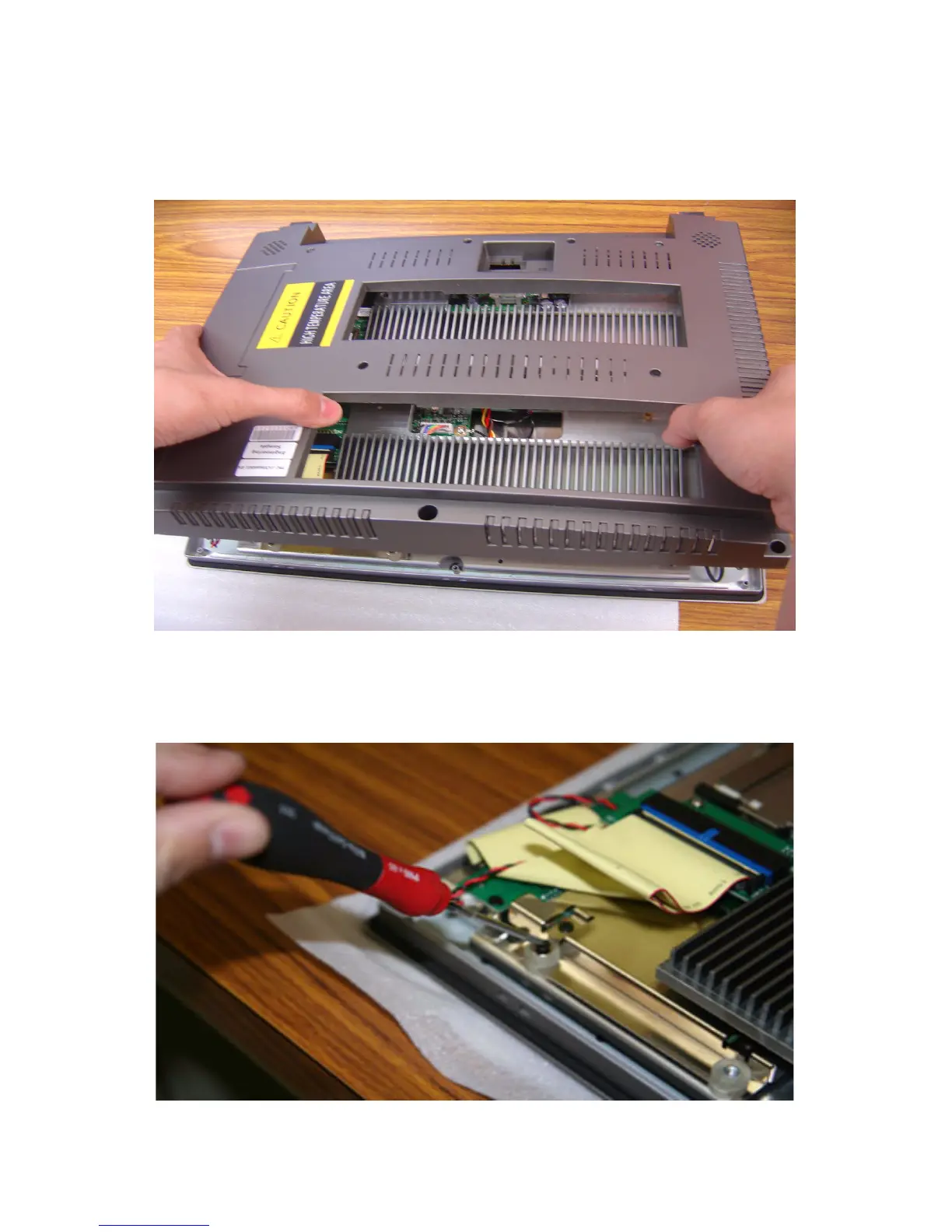
1. Remove the rear cover.
Figure E.1: Removing the Rear Cover
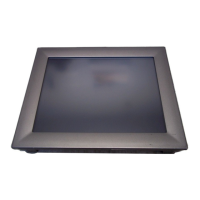
2. De-assemble the HDD kit from the system. Please remove the two
screws and take the transparent rubber cushion off..
Figure E.2: Removing the Top Screws












 To Next Page