87 Appendix F
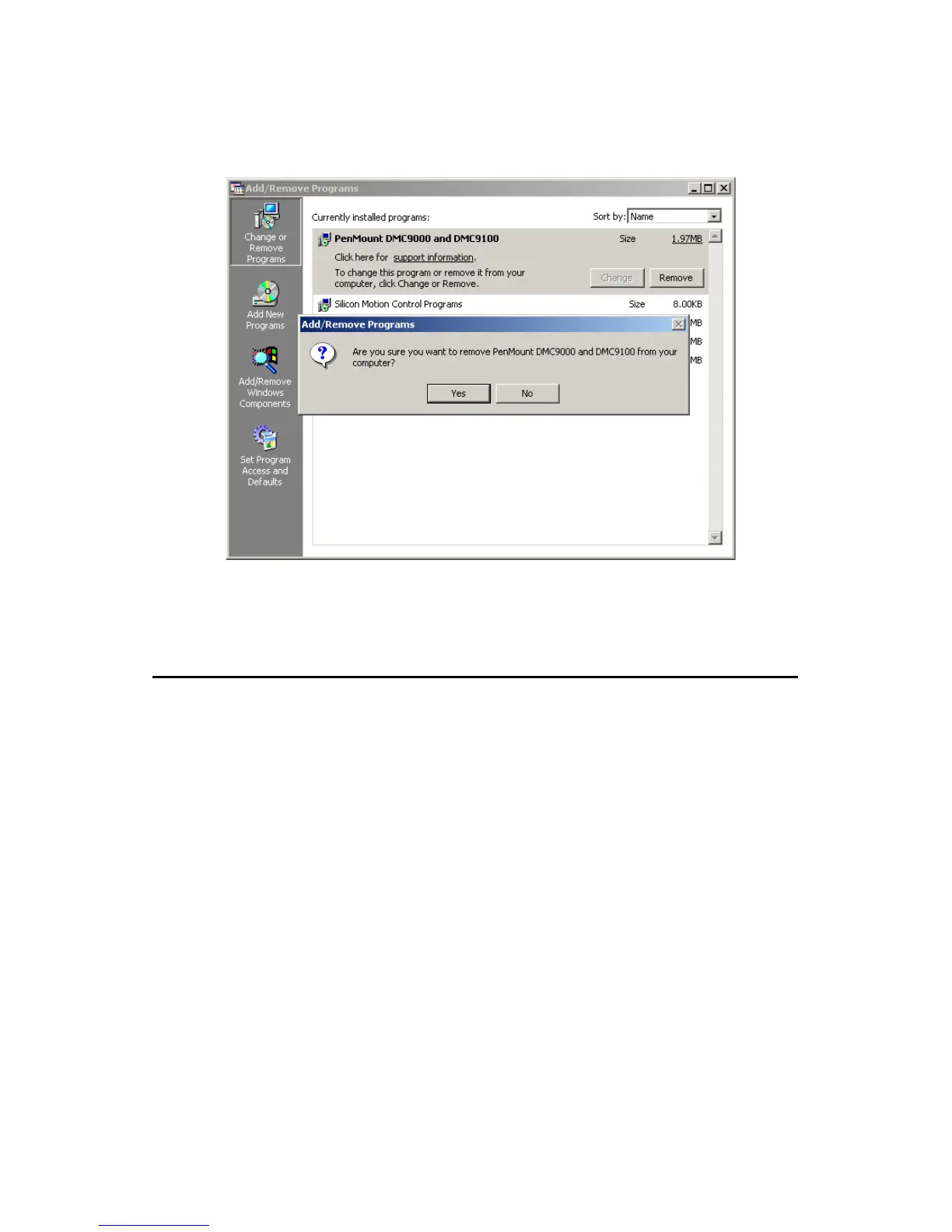
Select “Yes” to remove the PenMount Windows 2000/SP driver and
reboot the system.
Figure F.7: Uninstall -3
F.3 Touchscreen Calibration
The “PM”, the icon of the PenMount Control Panel, is in the menu bar
after the touchscreen installation. Please click the icon “PM” to call Pen-
Mount Control Panel. It contains six functions: Calibrate, Draw, Multiple
Monitors, Option, and About. Multiple Monitors is for multiple displays
only; however TPC-1570H only provides one touchscreen display. This
function is not workable on TPC-1570H. About is to show the driver ver-
sion.
Calibrate
Two ways to calibrate the touch screen include “Standard Calibration”
and “Advanced Calibration”. Standard Calibration is to adjust most
touchscreens.












 To Next Page