TPC-1570H User Manual 84
Appendix F Touchscreen Installation &
Configuration
F.1 Driver Installation
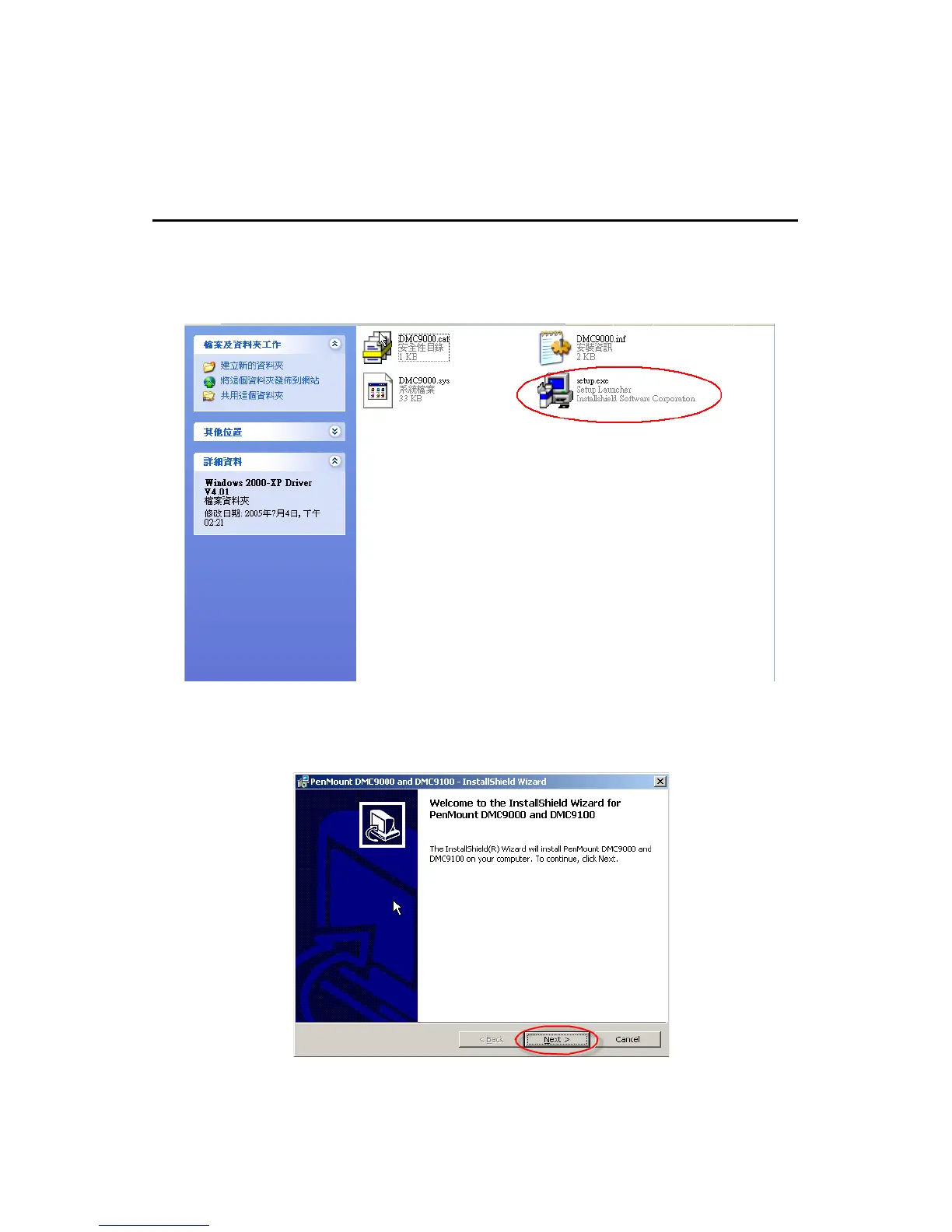
Please insert the x86 TPC series support CD and go to the Windows
2000-XP driver folder (TPC-1570H\Driver\Touch Screen\Driver\Win-
dows 2000-XP Driver V4.01). Click setup.exe
Figure F.1: Setup.exe
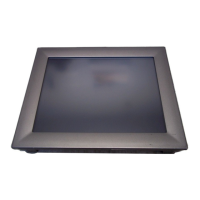
The screen displays the installation wizard for the PenMount software.
Click “Next”. Follow the installation wizard step by step.
Figure F.2: Install - Wizard












 To Next Page