TPC-1570H User Manual 72
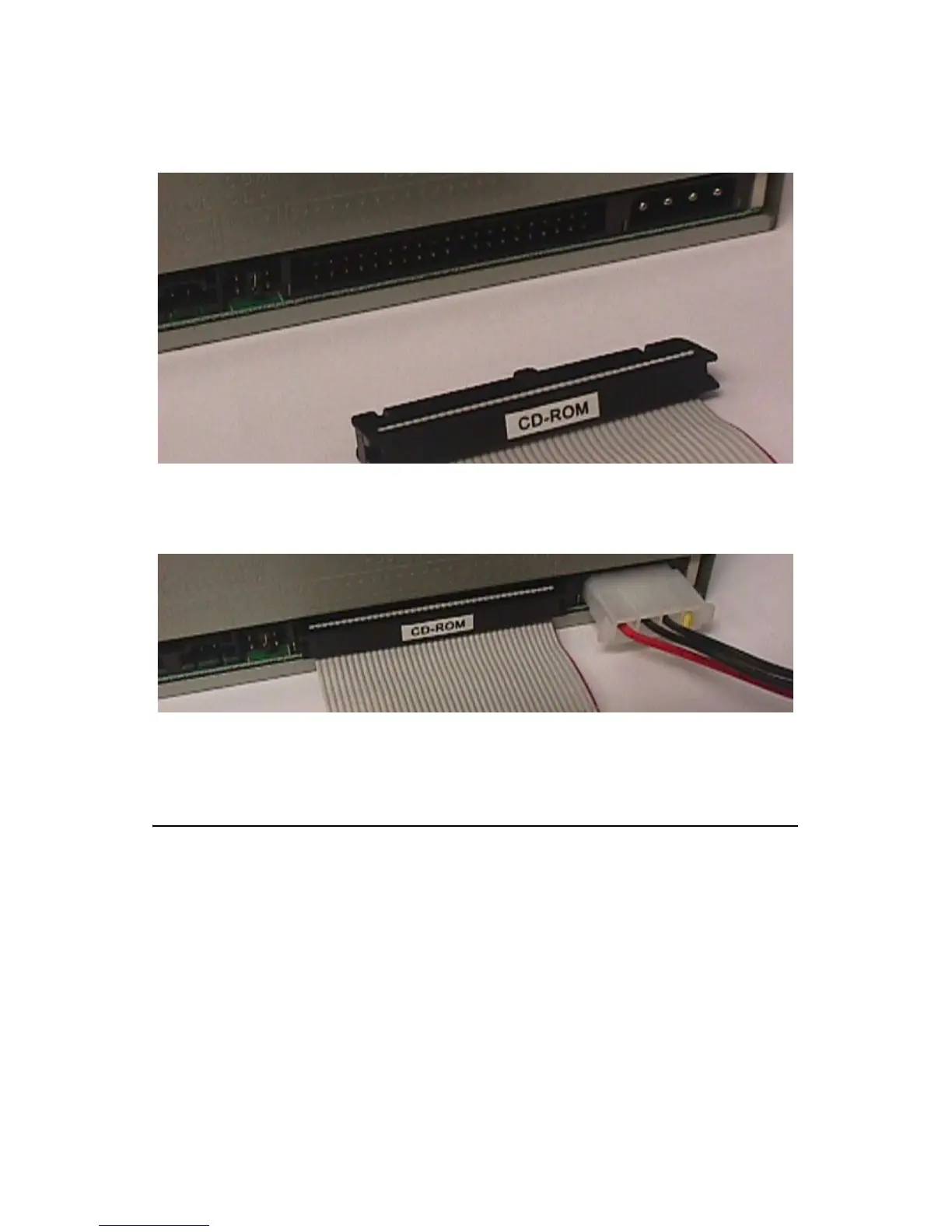
Connect the CD-ROM to the adapter board via the IDE cable and then
connect the external power line to the CD-ROM.
Figure D.6: Connect the CD-ROM via the IDE Cable
Figure D.7: Plug Power Line into CD-ROM Drive
D.2 USB Driver Installation Notice
It is required to install the service pack if you want to install the USB 2.0
driver on Windows 2000/XP
Note Please make sure Windows 2000 Service Pack
4 is installed before you install the USB 2.0
driver on Windows 2000. Service Pack 1 must
be installed on Windows XP before you install
the USB 2.0 driver.












 To Next Page