CONDOR A22 User Manual
10 | P a g e
2023 All Rights Reserved V1.2
Aircraft
Flight Controller
The Condor A22 Has a high-tech flight controller on board, containing different flight modes and
safety modes which include Fail safes and Return-To-Home. Making the flight of your UAV safer
if any of the safety parameters are exceeded.
The flight controller also stores critical flight data from each flight for diagnosis of any issues.
Flight Modes
There are two flight modes available, selectable by way of the 3-position flight mode switch.
P-Mode(positioning): The UAV utilises the GPS and all of the other onboard sensors to
maintain its position, Heading and Height.
M-Mode(manual): In this mode, the GPS is turned off and the UAV will not hold its position
automatically, it will drift with the wind. It will hold Heading and height.
N-Mode(normal): This is reserved for future use. The UAV will however behave the same
as in M-mode.
Use the Flight Mode switch to select the flight mode. Always make sure to be in P-mode before
taking off. See page 14
LED Status Indicators
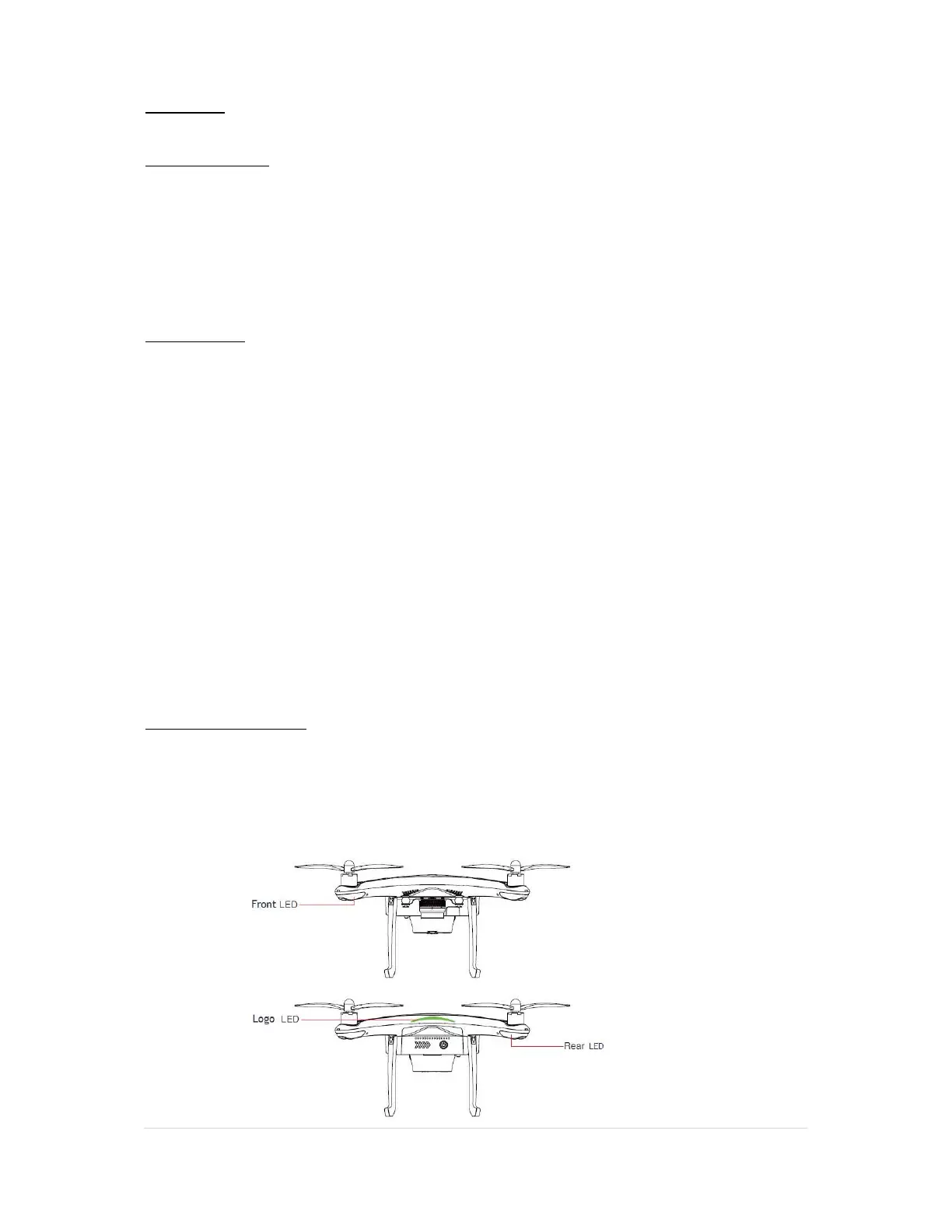
The Condor A22 has LED indicator status lights under each motor, these are used to indicate the
status of the aircraft. And a logo LED indicator that pulses when the UAV is powered on.
The two front LEDs show the orientation of the UAV and are a solid white, to show you where the
nose or front of the aircraft Is pointing, the two rear LEDs will flash different colours to indicate
the status of the UAV.



 To Next Page