CONDOR A22 User Manual
7 | P a g e
2023 All Rights Reserved V1.2
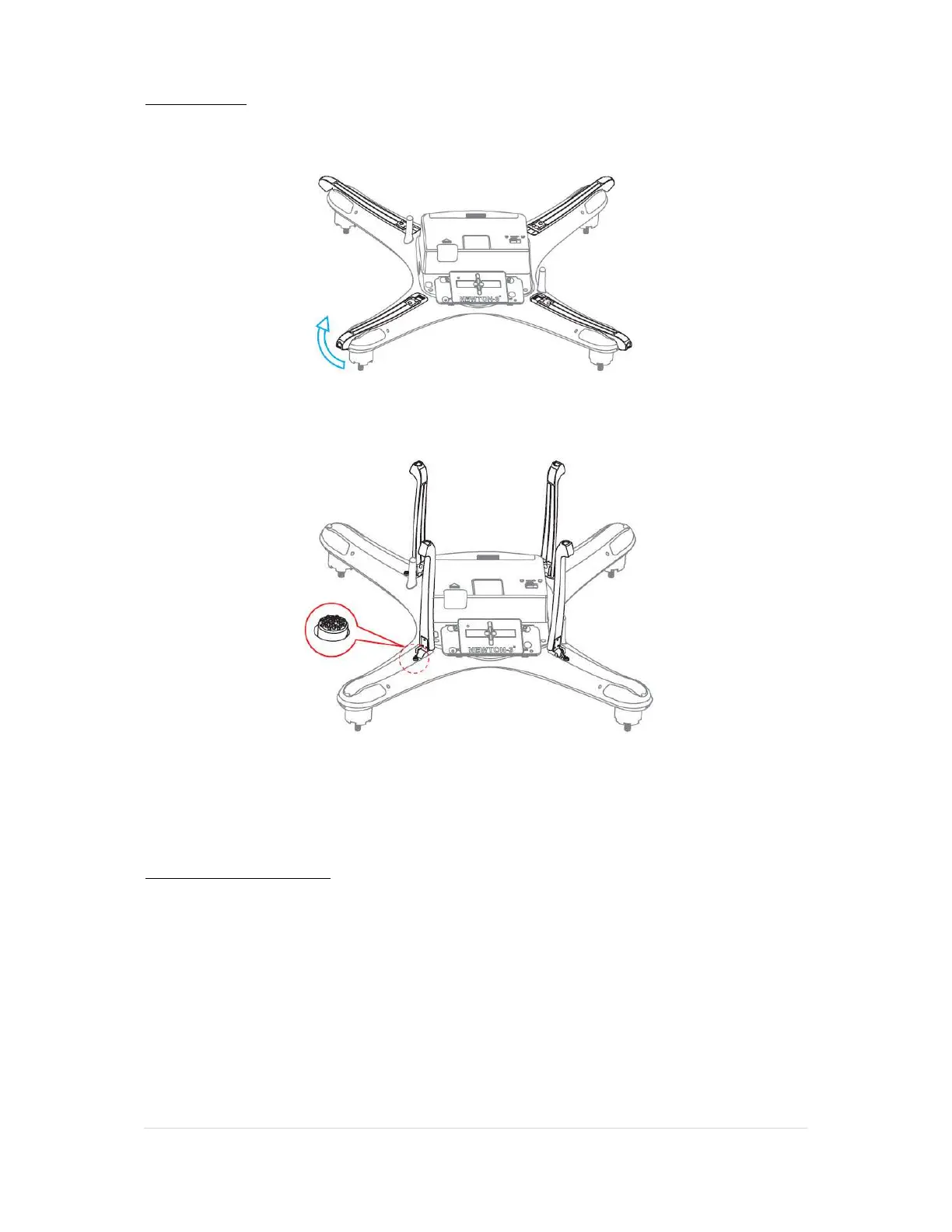
Landing Gear
To extend the landing gear: Gently pull the landing gear up until you hear it click into place.
To retract the landing gear: Push the release button and then gently fold the gear down.
CAUTION: Make sure all four landing gear legs are clicked into place before standing the UAV up, as
it could collapse and cause damage to the unit if they are not.
Attaching the Propellers
Make sure to install the propellers on the correct motors. There are two Clockwise (CW) and two
Counter Clockwise (CCW) rotating propellers
The propellers with a “P” on the hub screw onto the motor with a “P” on the motor arm, and the
other two connect onto the other motors without any markings.
CAUTION: Do not over-tighten the propellers, you could strip the thread.



 To Next Page