CONDOR A22 User Manual
14 | P a g e
2023 All Rights Reserved V1.2
Charging the Remote
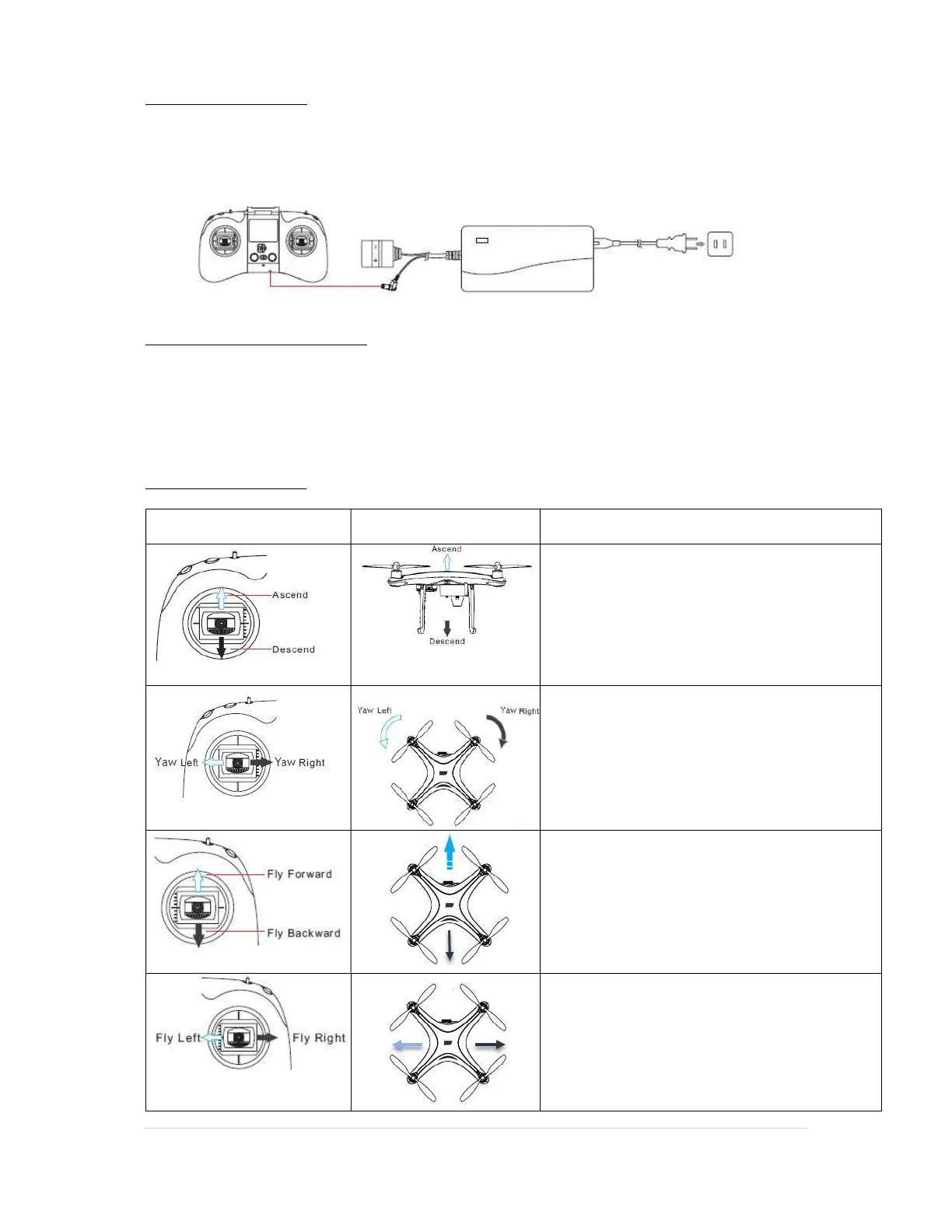
Plug the dedicated charger into the charging port of the remote.
Make sure the Remote controller is fully charged before each day of flying.
Using The Remote Controller
Slide the ON/OFF button on the front of the controller to the ON position, and the status LED will
turn on as well as the LCD screen with the current status of the controller.
If there are no user inputs for 5 minutes, the controller will emit a beep to remind you that it is still
on. The controller will auto-power off after 15 minutes if there have been no user inputs.
Controlling your UAV
Remote Control UAV Operation
Moving this stick up and down controls the
height of the aircraft. Push up to ascend and
pull down to descend. When centred the UAV
will hover.
The more the stick is moved away from the
centre, the faster the UAV will climb or
descend. Always use small smooth inputs.
Moving this stick left or right controls the
yaw/rotation of the aircraft.
Push left to rotate left and right to rotate right.
When centred the aircraft will maintain its
heading. The more it is pushed away from the
centre, the faster the aircraft will rotate.
Moving this stick up or down will change the
pitch of the aircraft, moving it forward or
backwards. Push up to move forward and pull
back to move backward.
The further it is moved from the centre, the
faster the aircraft will fly in the desired direction
Moving this stick left or right, will cause the
aircraft to roll/pitch left or right.
The further it is moved from the centre, the
faster the aircraft will fly in the desired direction



 To Next Page