CONDOR A22 User Manual
16 | P a g e
2023 All Rights Reserved V1.2
Condor A22 Battery
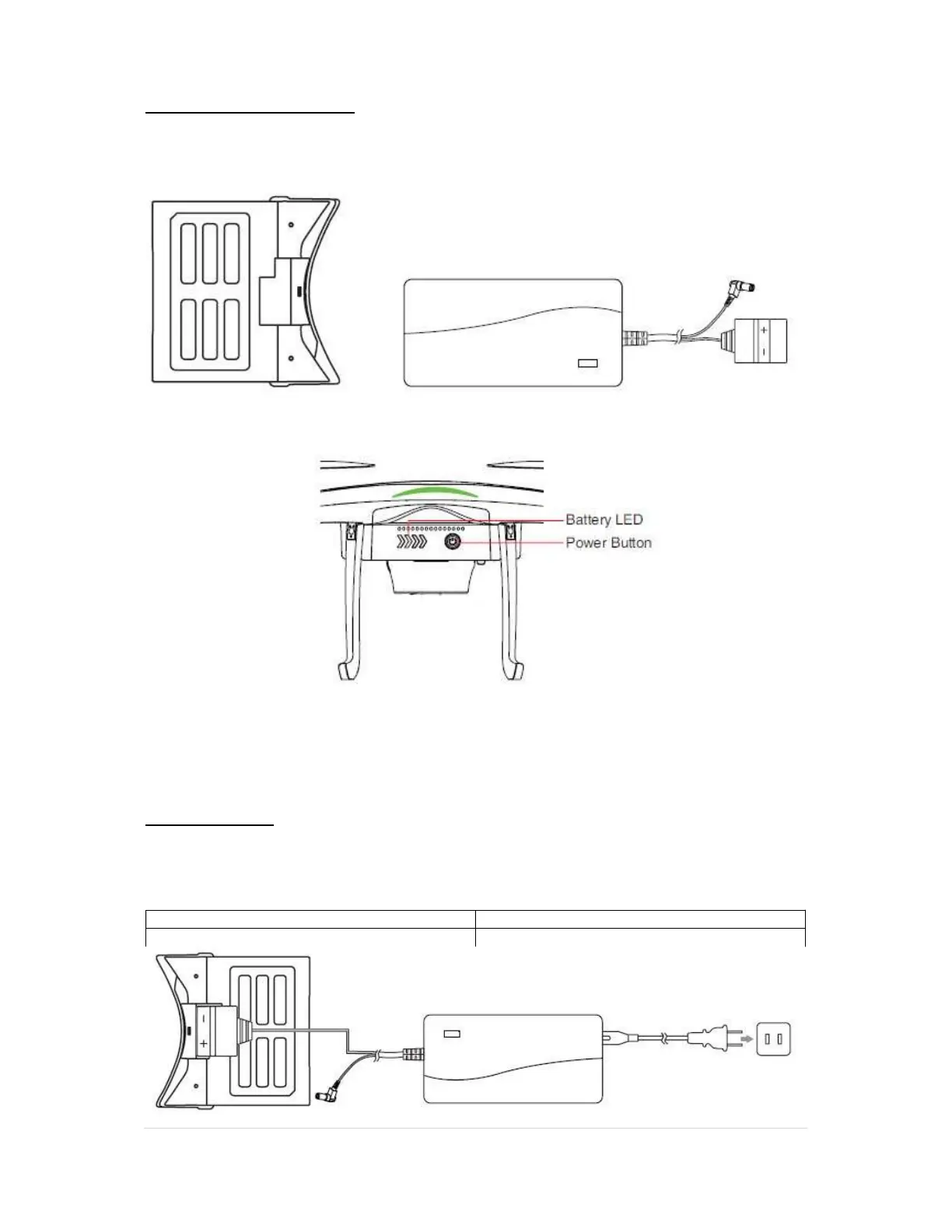
The specially designed UAV battery is an 11.1V, 6,800mAh smart battery with charging and
discharging management functions. Only use the supplied AEE charger to charge the UAV
battery.
By pressing the Power button once, the battery level will be indicated by the amount of lit LEDs
Each LED represents a charge of 25%.
CAUTION: Always make sure the battery is fully charged before each flight.
Always return the UAV for landing once the first low battery warning is issued.
Battery Charging
1. Plug the battery charger into a power source(100-240V) and then into the battery,
confirm polarity before plugging the charger into the battery.
2. The Battery status LEDs will flash, indicating charging.
3. All four LEDs will remain on when charging has been completed.
Charging Temperature 5ºC-40ºC



 To Next Page