CONDOR A22 User Manual
13 | P a g e
2023 All Rights Reserved
V1.2
Remote Controller
The remote controller that comes with the aircraft is already bound. By default, it is in Mode Two
(left-hand stick-up and down is power)
The Controller operates in the 2.4GHz spectrum. It is used for controlling the UAV as well as the
Newton 3 release system. The battery level is indicated on the LCD screen.
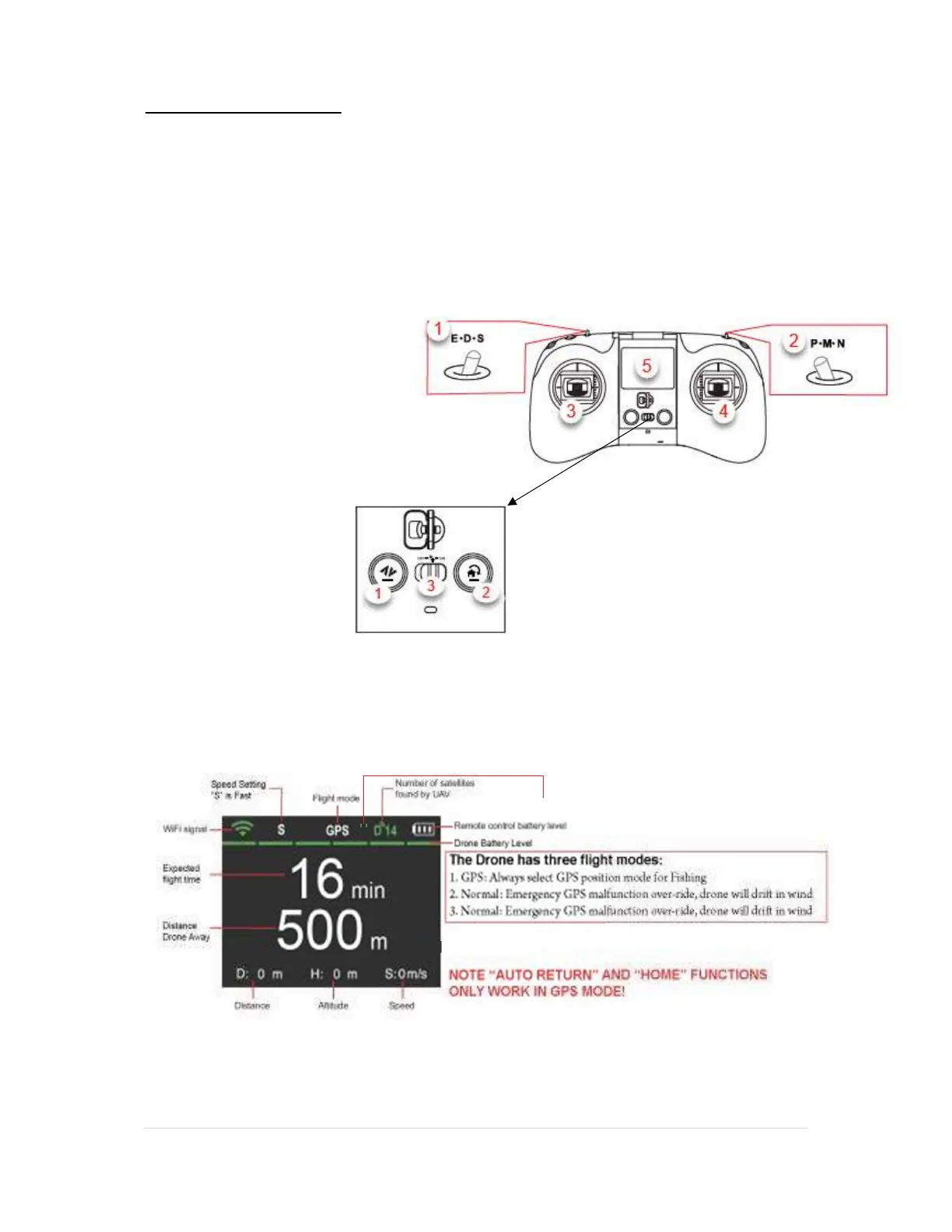
The onboard LCD screen gives all the critical information of the drone as well as the controller.
1. Flight speed switch
2. Flight Mode switch
3. Joystick A
4. Joystick B
5. LCD flight information screen
1. Bait release
2. Return to Home
3. On/Off Button
Note: All other switches have been disabled
Mechanism Release Status
11
666 m 45 m 15 m/s
N



 To Next Page