10
aee.com
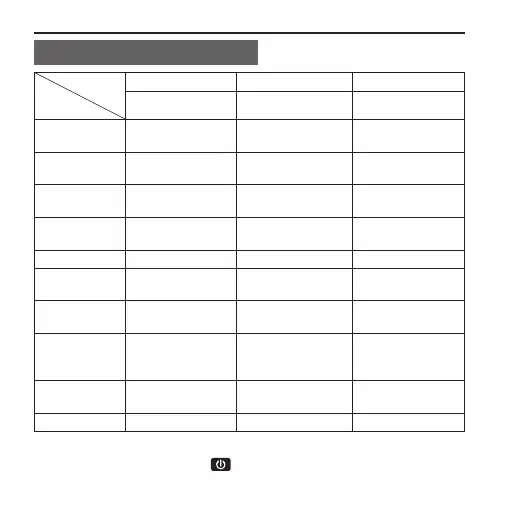
Description of Indicators
Position
Status
L1 L2 L3
Red indicator Green indicator Blue indicator
Startup
Flash once and
then Stay on
/ /
Video
recording
/ Flash slowly /
Audio
recording
/ Flash slowly /
Photo
shooting
Stay on Flash once /
Card full Stay on Stay on /
Charging
(switched off)
Flash slowly / /
Fully charged
(switched off)
Stay on / /
Low-battery
indicator
Flash fast for 5s
and then auto
power off
/ /
Data
transmission
Stay on / ash slowly
Wi-Fi on Stay on / ash slowly
When turn off the screen state, the TFT display indicators will be lit
up. you can long press the " " key to turn on/off the screen.



 To Next Page