12
aee.com
Preparations Before Use
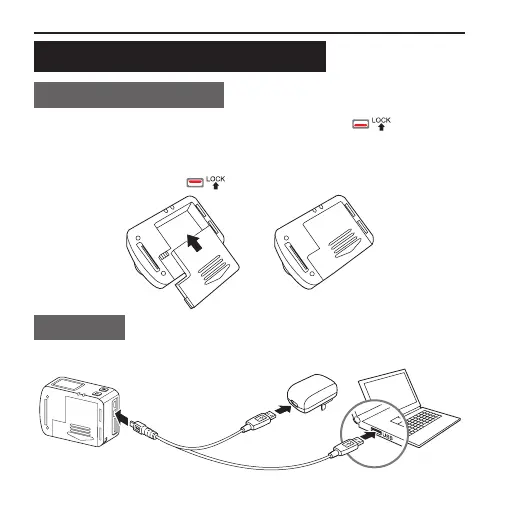
Installing the Battery
■ Prior to installation, please make sure that the " " key at the
bottom of the main unit is not locked. Push the battery completely
into the battery case in the direction of arrow as shown in the gure
below; then turn the " " key to x the battery.
Charging
■ Use the power adapter or USB port of a PC to charge camera:
Power adapter
Input: 100~240V 0.5A
Output: DC 5V 2000mA



 To Next Page