22
aee.com
In the video modes, you can press the " " key to switch to the
last used photo modes.
In the preview state, you can long press the " " key switch to
voice recording mode.
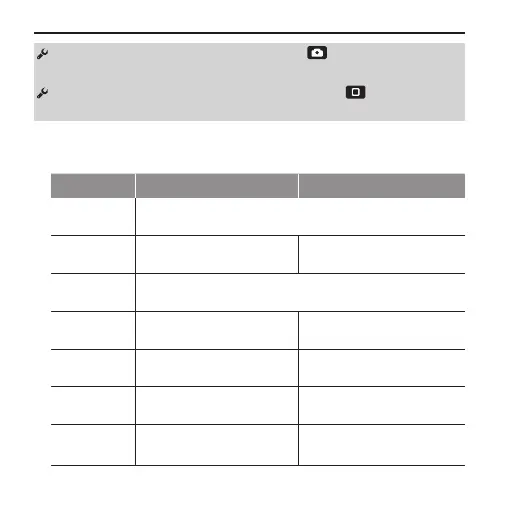
• Resolution Setting
Resolutions PAL System NTSC System
4K Cinema
(17:9)
4096 x 2160 12fps
4K(16:9)
3840x2160
12.5fps 15fps
2.7K Cinema
(17:9)
2704 x 1440 24fps
2.7K(16:9)
2704x1524
25fps 30fps
1080P(16:9)
1920x1080
24fps, 25fps, 48fps, 50fps 24fps, 30fps, 48fps, 60fps
960P(4:3)
1280x960
48fps, 50fps 48fps, 60fps
720P(16:9)
1280×720
50fps, 100fps 60fps, 120fps



 To Next Page