36
aee.com
Operating Instructions for Wi-Fi Control Interface
1.Video Recording
- In video recording mode " ", tap the video recording/photo
shooting icon " " to start video recording; tap the video
recording/photo shooting icon again to end video recording.
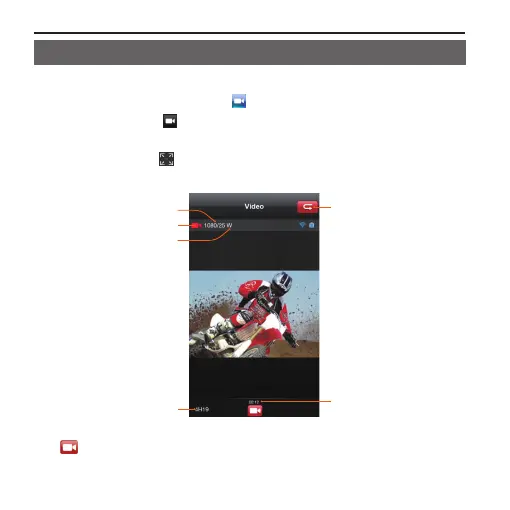
- Click the icon " " to maximize the preview (See the figure
below).
Angle
Current state
Recording
duration
Resolution
and frame rate
Remaining
recording time
Return to
main interface
" " Tap this icon to enable video recording; tap it again to stop
recording.



 To Next Page