45
aee.com
Wi-Fi Based Remote
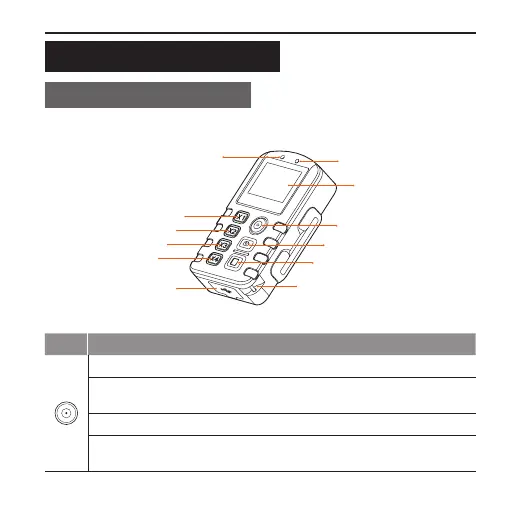
Guide for Components
Power/Record Button
Shutter Button
Stop Button
USB Port
Wide view Button
Medium view Button
Narrow view Button
Small view Button
Power Indicator (Red)
Wi-Fi Indicator (Blue)
Screen
Strap hole
Key Functions
Long press it for about 5s to turn on/off the Wi-Fi based remote control.
Under the photographing mode, press it once to switch the current
mode to the video recording mode.
Under the video recording mode, press it once to start video recording.
After entering the mode selection state, press it to select the option
upwards.



 To Next Page