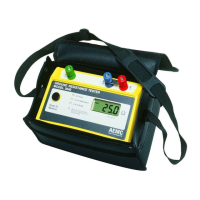
Ground Resistance Tester Model 6471
25
CHAPTER 4
OPERATION
NOTE: For detailed information regarding ground resistance testing, see
the Understanding Ground Resistance Testing Workbook CD that was
included with the instrument.
4.1 General Operating Instructions
The Model 6471 has operating modes:
• Automatic mode for routine applications.
• Manual (Expert) mode in which the user can change the parameters of the
measurement functions.
NOTE: Fully charge the battery before the first use (see § 9.4)
4.1.1 Automatic Mode
• Set the switch to the desired function.
• Make the connections appropriate to the function.
• Press the START/STOP button. The device makes the measurement and
stops automatically.
• Read the measurement result on the display and the relevant parameters
using the DISPLAY button.
• To save the information in memory, use the MEM button (see § 7.1).
4.1.2 Manual (Expert) Mode
• Set the switch to the desired function.
• Make the connections appropriate to the function.
• Select MANUAL mode.
• Choose various measurement parameters using the Hz/OPTIONS button.
• Press the START/STOP button. The measurement frequency or the direc-
tion of the current (resistance measurement) can be changed during the
measurement. To view their impact upon the measurement and the param-
eters relevant to the measurement use the DISPLAY button.
www.ShopAEMC.com
Shop for AEMC products online at:
1.888.610.7664



 To Next Page