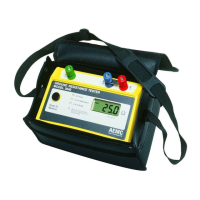
Ground Resistance Tester Model 6471
45
CHAPTER 6
MANUAL MODE
All of the measurement functions described in § 5 (AUTO mode) can be performed
in MANUAL mode if necessary.
To access MANUAL mode:
• Press the Hz/OPTIONS button once. The Hz/OPTIONS symbol appears
and the AUTO indicator blinks.
• Use the ► button to switch from AUTO to MANUAL.
• When the tester is in MANUAL mode you can press Hz/OPTIONS repeatedly
to see various parameters that can be set, depending on the measurement
function selected.
When a measurement is performed by a short or long press on the START/STOP
button (the circular arrows
on the display will rotate), the measurement can be
stopped by a second press of this button.
Whenever a new measurement function is selected, the device automatically
changes back to AUTO mode.
6.1 Switching the Test Voltage
Available in all functions except mΩ and 2 Clamp.
If necessary, the test voltages can be switched to either 16 or 32V as follows:
• Press the Hz/OPTIONS button, then press it again to make the output volt-
age (Uout) blink.
• Use the ► button to switch to 16 or 32V, then press Hz/OPTIONS again.
This setting is retained when the unit is turned off.
6.2 Measurement Frequency Selection
If there are signals with a frequency that could interfere with the chosen test fre-
quency, the NOISE symbol will appear.
While in MANUAL mode, change the frequency by pressing the Hz/OPTIONS
button until the frequency flashes.
www.ShopAEMC.com
Shop for AEMC products online at:
1.888.610.7664



 To Next Page