4
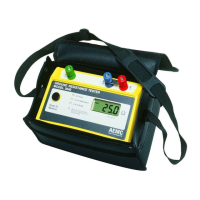
Ground Resistance Tester Model 6471
7.3.1 Erasing All Measurements ....................................................51
7.3.2 Erasing Selective Measurements .........................................51
8. DATAVIEW
®
SOFTWARE ................................................................ 53
8.1 Installing DataView
®
...........................................................................53
8.2 Connecting the Model 6471 to your Computer ..................................57
8.3 Opening the Ground Tester Control Panel .........................................57
8.3.1 Establishing Communication to the Instrument.....................58
8.4 Conguring the Instrument .................................................................59
8.4.1 DC Continuity Test
..............................................................59
8.4.2 3-Pole Ground Resistance Test
..........................................60
8.4.3 4-Pole Ground Resistance
..................................................61
8.4.4 3-Pole Plus Clamp Resistance
...........................................62
8.4.5 4-Pole Soil Resistivity
.........................................................63
8.4.6 Ground Loop R
...................................................................64
8.5 Tools Menu .........................................................................................65
8.5.1 Tools > Options .....................................................................65
8.5.2 Tools > Colors .......................................................................66
8.5.3 Tools > Recover Data ...........................................................66
8.6 Starting a Test ....................................................................................66
8.7 Downloading Data to Database .........................................................66
8.7.1 Recordings ............................................................................67
8.7.2 Session Properties ................................................................67
8.8 Saving/Exporting Data to a Spreadsheet or PDF File ......................68
8.8.1 Saving Data to a Spreadsheet from the Control Panel ........68
8.8.2 Exporting Data to a PDF from DataView
®
............................69
9. MAINTENANCE ............................................................................. 70
9.1 Maintenance.....................................................................................70
9.2 Cleaning ...........................................................................................70
9.3 Fuse Replacement ...........................................................................70
9.4 Recharging the Battery ....................................................................72
9.5 Replacing the Battery .......................................................................73
10. TROUBLESHOOTING ...................................................................... 75
10.1 Error Reporting.................................................................................75
10.1.1 Electrode Resistance Too High .............................................75
10.1.2 Out of Range.........................................................................75
www.ShopAEMC.com
Shop for AEMC products online at:
1.888.610.7664



 To Next Page