13
A300/A300 XT OPERATING MANUAL
© 2002 Design, 2012 Doc. No. 12-7255-r01 (5/14/12)
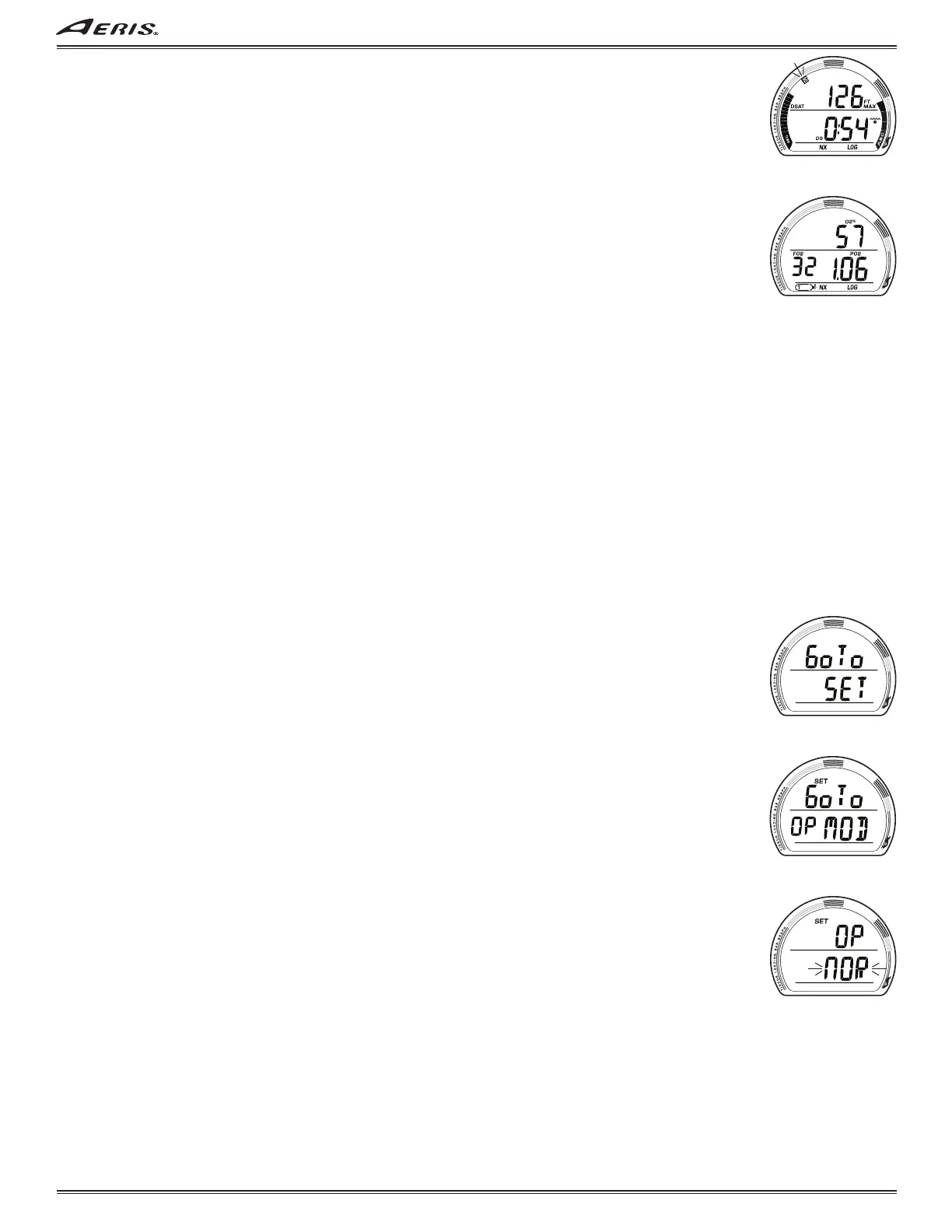
Log Data 3, information includes (Fig. 21):
> Z+ (or DSAT), CF, DS, NX icons, if they apply.
> Max Depth with FT (or M) and MAX icons.
> Elapsed Dive Time (hr:min) with wave/clock (EDT) icon.
> TLBG with max segment flashing, others fixed up to end of dive accumulation. Blank if GAUG or VGM.
> VARI, max Ascent Rate sustained for 4 sec.
> LOG icon.
• A (< 2 sec) to access that dive's Log Data 4 screen if Nitrox, or revert to Preview if not.
• M (< 2 sec) to step back that dive's Log Data 2 screen.
• S (2 sec) to revert to that dive's Log Preview.
• 2 minutes, or M (2 sec), revert to Main.
Log Data 4 (only if Nitrox), information includes (Fig. 22):
> O2% with icon, at end of dive.
> FO2 value set for Gas in use when dive ended, with FO2 and Gas (tank) icons.
> Max level of PO2 achieved with icon.
> NX and LOG icons.
• A (< 2 sec) to revert to Preview.
• M (< 2 sec) to step back that dive's Log Data 3 screen.
• S (2 sec) to revert to that dive's Log Preview.
• 2 minutes, or M (2 sec), revert to Main.
NORM/TECH SET GROUPS
Sequence >> Set Lead-in > Set OP MOD >> Set GAS >> Set ALM >> Set UTL >> Set TME.
Set OP MOD (Mode) - allows selection of the operating mode to be used.
Set GAS - allows FO2, and PO2 Alarms (TECH only), to be set.
Set ALM (Alarms) - allows dive alarms to be set or turned off.
Set UTL (Utilities) - allows general items to be set or turned off.
Set TME (Time/Date) - allows time, date, and formats to be set.
Set Group Lead-in, information includes (Fig. 23):
> Graphics Go To SET.
• S (< 2 sec) to access Set OP MOD Lead-in.
• A (< 2 sec) to step forward to History.
• M (< 2 sec) to step back to Log Lead-in.
• 2 minutes, or M (2 sec), revert to Main.
SET OP MOD LEAD-IN, information includes (Fig. 24):
> Graphics Go To OP MOD with SET icon.
• S (< 2 sec) to access Set OP, the mode currently active.
• A (< 2 sec) to step forward to Set GAS.
• S (2 sec) to step back to Set Lead-in.
• 2 minutes, or M (2 sec), revert to Main.
Set OP, information includes (Fig. 25):
> Graphic OP with SET icon.
> Graphic NOR (or TEC, GAU, FRE) flashing.
• A (< 2 sec) to step forward through the selections.
• M (< 2 sec) to step back through the selections.
• S (< 2 sec) to save the selection and revert to that mode's Surface Main.
• S (2 sec) to step back to Set OP MOD Lead-in.
• 2 minutes, or M (2 sec), revert to Main.
Fig. 23 - SET GROUP
LEAD-IN
Fig. 21 - LOG DATA 3
Fig. 22 - LOG DATA 4
Fig. 24 - SET OP MODE
LEAD-IN
Fig. 25 - SET OP MODE



 To Next Page