18
A300/A300 XT OPERATING MANUAL
© 2002 Design, 2012 Doc. No. 12-7255-r01 (5/14/12)
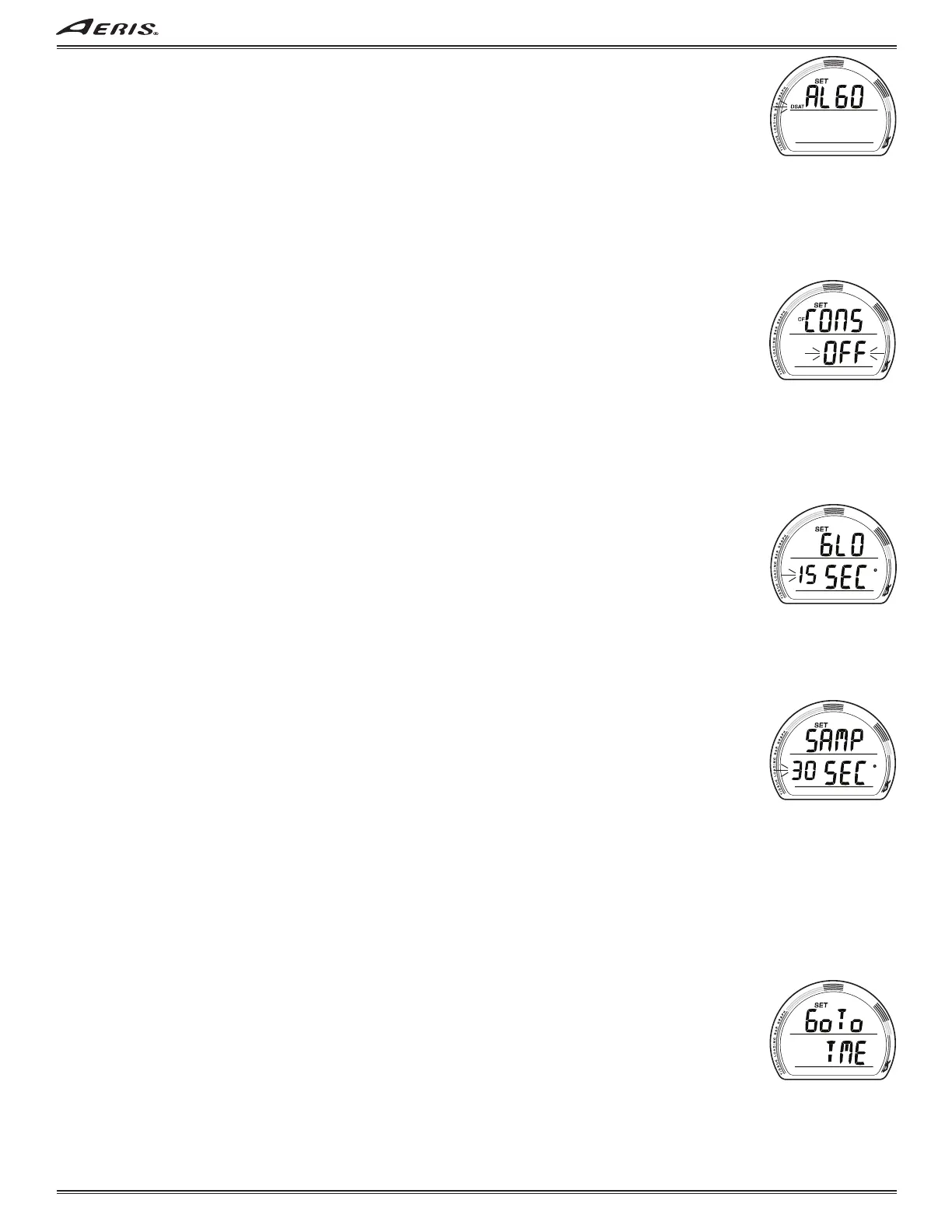
SET ALGORITHM, information is to include (Fig. 43):
> Graphic ALGO with SET icon.
> Z+ (or DSAT) icon flashing.
• A or M (< 2 sec) to toggle between Z+ and DSAT.
• S (< 2 sec) to save the setting and access Set Sampling Rate if NORM, or Set Conservative Factor if TECH.
• S (2 sec), if the Set Point is not changed, to step back to Set Safety Stop.
• 2 minutes, or M (2 sec), revert to Main.
When Z+ is selected, Ni-O2 related calculations are based on the Pelagic Z+ algorithm. When DSAT is selected, the
calculations are based on the standard Pelagic DSAT algorithm.
The selection locks in for 24 hours after surfacing from a NORM, TECH, or FREE (A300) dive.
SET CONSERVATIVE FACTOR (TECH only), information is to include (Fig. 44):
> Graphic CONS with SET and CF icons.
> Graphic OFF (or ON) flashing.
• A or M (< 2 sec) to toggle between OFF and ON.
• S (< 2 sec) to save the setting and access Set Backlight Duration.
• S (2 sec), if the Set Point is not changed, to step back to Set Algorithm.
• 2 minutes, or M (2 sec), revert to Main.
When the Conservative Factor is set ON, NDLs, which are to be based on the Algorithm selected (DSAT or Z+), are reduced to
the values available at the next higher (+ 3000 feet) Altitude. Ex: NDLs for Sea Level shift to those listed for the 5001 to 6000
foot Altitude range.
SET BACKLIGHT DURATION (TECH only), information is to include (Fig. 45):
Backlight Duration is the time that the Smartglo Backlight remains on after the S button used to activate it is released.
> Graphics GLO and SEC with SET icon.
> Duration Time (seconds) flashing, with clock icon.
• A (< 2 sec) to step through the Set Points of 5, 10, and 15 (sec).
• M (< 2 sec) to step back through the Set Points.
• S (< 2 sec) to save the setting and access Set Sampling Rate.
• S (2 sec), if the Set Point is not changed, to step back to Set Conservative Factor.
• 2 minutes, or M (2 sec), revert to Main.
SET SAMPLING RATE, information is to include (Fig. 46):
Sampling Rate is the frequency (time interval) at which NORM, TECH, GAUG data is sampled and stored in memory for
subsequent download to the PC Interface program.
> Graphics SAMP and SEC with SET icon.
> Time interval (seconds) flashing, with clock icon.
• A (< 2 sec) to step through the Set Points of 2, 15, 30, and 60 (sec).
• M (< 2 sec) to step back through the Set Points.
• S (< 2 sec) to save the setting and revert to SET U.
• S (2 sec), if the Set Point is not changed, to step back to Set Backlight Duration.
• 2 minutes, or M (2 sec), revert to Main.
SET TME (TIME/DATE)
Items set in this group apply to all modes, therefore they remain as set when moving between modes and they can be changed
when in any mode.
SET TME LEAD-IN, information is to include (Fig. 47):
> Graphics Go To TME with SET icon.
• S (< 2 sec) to access Set Date Format.
• A (< 2 sec) to step forward to Set OP MOD Lead-in.
• M (< 2 sec) to step back to Set UTL Lead-in.
• 2 minutes, or M (2 sec), revert to Main.
Fig. 43 - SET ALGORITHM
Fig. 44 - SET CF
(Conservative Factor)
Fig. 45 - SET BACKLIGHT
DURATION
Fig. 46 - SET SAMPLING
RATE
Fig. 47 - SET TIME LEAD-IN



 To Next Page