45
A300/A300 XT OPERATING MANUAL
© 2002 Design, 2012 Doc. No. 12-7255-r01 (5/14/12)
PC INTERFACE
The A300 and A300 XT are configured with Data Ports (Fig. 121a, 122a) that enable their attachment to an Interface System
capable of connection to a PC through a USB port.
A USB Driver, provided as part of the optional Interface System, must be installed on the PC.
The unit will check for an external access request every second while in Surface Mode (NORM, TECH, GAUG, or FREE).
Checks are not made if the activation contacts are wet.
When the interface cable is connected to the dive computer’s Data Port and a PC USB Port, a wake up connection is established,
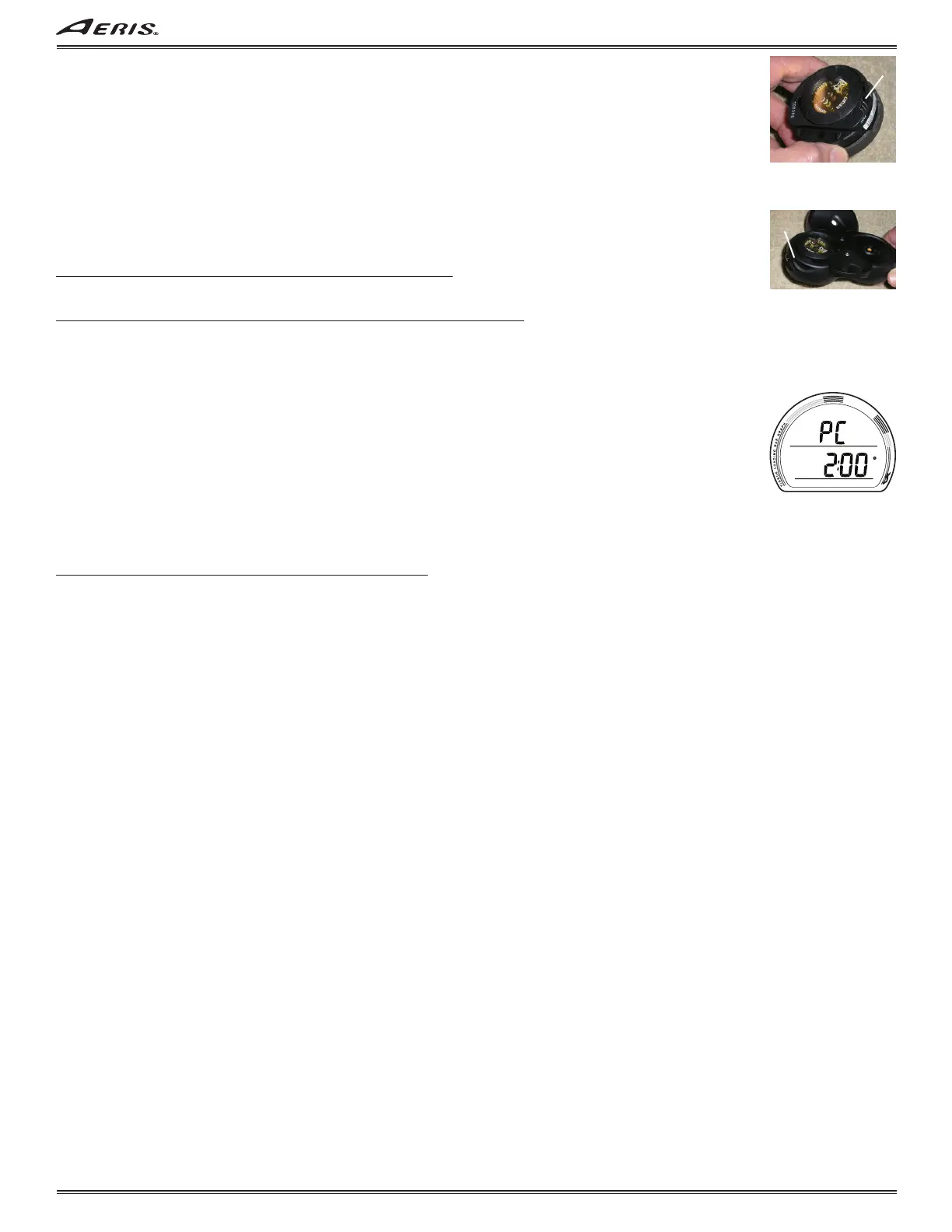
all segments of the LCD are displayed, then a PC screen (Fig. 123) is displayed with the time counting down from 2:00 to 0:00
(min:sec) until completion of the upload/download operation at which time operation will revert to the Surface Main.
NORM, TECH, GAUG, and FREE settings that can be uploaded include -
• All Set ALM (alarms), Set UTL (utilities), and Set TME (date/time) selections.
NORM, TECH, GAUG data for each dive recorded that can be downloaded includes -
• Dive Mode - NORM, TECH, or GAUG.
• Start & End Date/Time.
• Dive Number, that activation period.
• Surface Interval time (hr:min), prior to each dive.
• Max Depth.
• Elapsed Dive Time (hr:min).
• Lowest Temperature underwater (actual between start and end).
• Average Temperature underwater (actual between start and end).
• Sampling Rate (set).
• Dive Profile (actual, expressed as dive time elapsed and depth changed).
• Set Points (for all Set selections).
• Alarms (ID & time of each strike).
• TLBG (actual, expressed as dive time elapsed).
• VARI (actual, expressed as dive time elapsed).
• O2% saturation (actual, expressed as dive time elapsed).
FREE data for each dive recorded that can be downloaded includes -
• Start & End Date/Time
• Dive Number, within that set (series) if repetitive dives.
• Surface Interval time (min:sec), prior to each dive.
• Max Depth.
• Elapsed Dive Time (min:sec).
• Lowest Temperature underwater (actual between start and end).
• Average Temperature underwater (actual between start and end).
• Sampling Rate (fixed).
• Dive Profile, grouped for that set (series) of repetitive dives (actual, expressed as dive time elapsed and depth changed, and
pre dive surface interval).
• Set Points (for all Set selections).
• Alarms (ID and time of each strike).
• TLBG (actual, expressed as dive time elapsed).
PC requirements:
• IBM
®
, or compatible, PC with USB Port
• Intel
®
Pentium 200 MHz or better microprocessor
• Microsoft
®
Windows
®
XP, Vista, or 7
• Super VGA card or compatible video graphics adaptor (256 color or greater) with a minimum 800 X 600 pixel screen
area of display settings
• 16MB of available RAM
• 20MB of available hard drive storage
• Mouse
• CD Rom drive
• Printer
For software updates, refer to the AERIS web site >>>>
www.diveaeris.com
For support, call ACI Support toll free at >>>>
(866) 732-7877, 8 Am to 5 Pm USA Pacific time.
Fig. 123 - COUNTDOWN
Fig. 121 - DATA PORT
(A300)
a
Fig. 122 - DATA PORT
(A300 XT)
a



 To Next Page