33
A300/A300 XT OPERATING MANUAL
© 2002 Design, 2012 Doc. No. 12-7255-r01 (5/14/12)
OVERVIEW
> Can only switch when a Dive Main screen is displayed.
> Cannot switch on surface.
> Cannot switch during sounding of alarms.
> All dives begin with Gas 1 and default to Gas 1 on the surface.
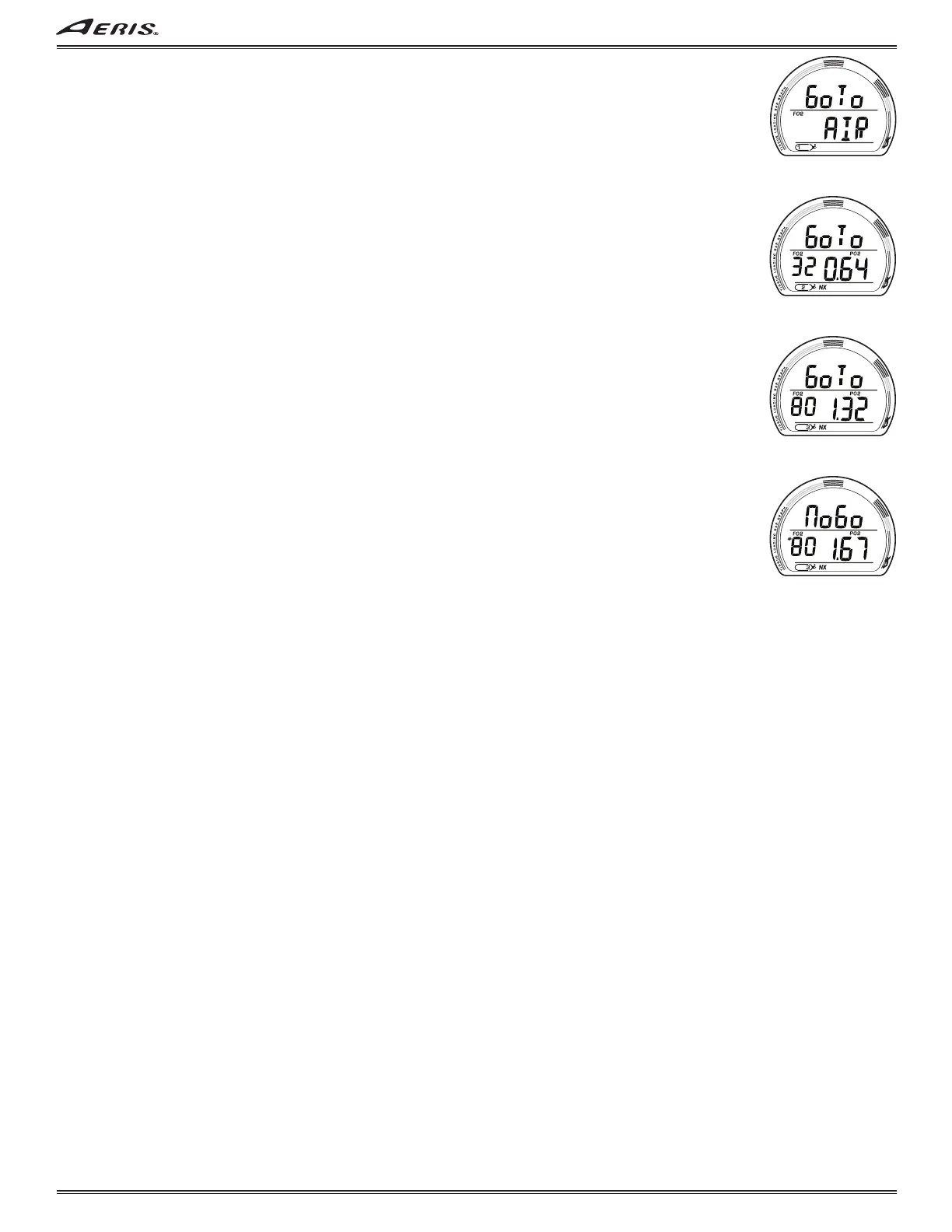
GAS SWITCH PREVIEW, information includes (Fig. 91, 92, 93):
> Graphics Go To (meaning switch or change to that Gas).
> Graphic AIR with FO2 icon; or if Nitrox -
FO2 value set (21 to 100%) with FO2 icon and current PO2 level with PO2 and NX icons.
> Gas (tank) 1 (or 2, 3) icon, one in use.
• A (< 2 sec) to step forward through Preview screens.
• M (< 2 sec) to step back through Preview screens.
• S (< 2 sec) to Switch from the Gas in use to the Gas indicated (after 3 sec), then revert to Main with the new Gas selected.
Gas Switch Alarm
If a switch to the new Gas (FO2) would result in PO2 => 1.60, the Audible will sound during which a warning message will flash
(Fig. 94). After it is silenced, the Preview screen will be restored.
> Due to the possibility that sufficient air may not be available in the Switch From tank, the switch will still be allowed.
> If the switch is made, and PO2 is => 1.60, the PO2 alarm will strike. If in Deco, indication to ascend will not be given (you
control action to be taken).
Fig. 91 - GAS 1 PREVIEW
Fig. 92 - GAS 2 PREVIEW
Fig. 93 - GAS 3 PREVIEW
Fig. 94 - GAS SWITCH
ALARM



 To Next Page