28
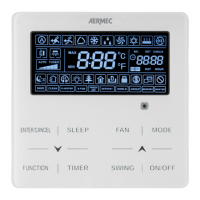
Display indoor unit OPERATING PARAMETERS:
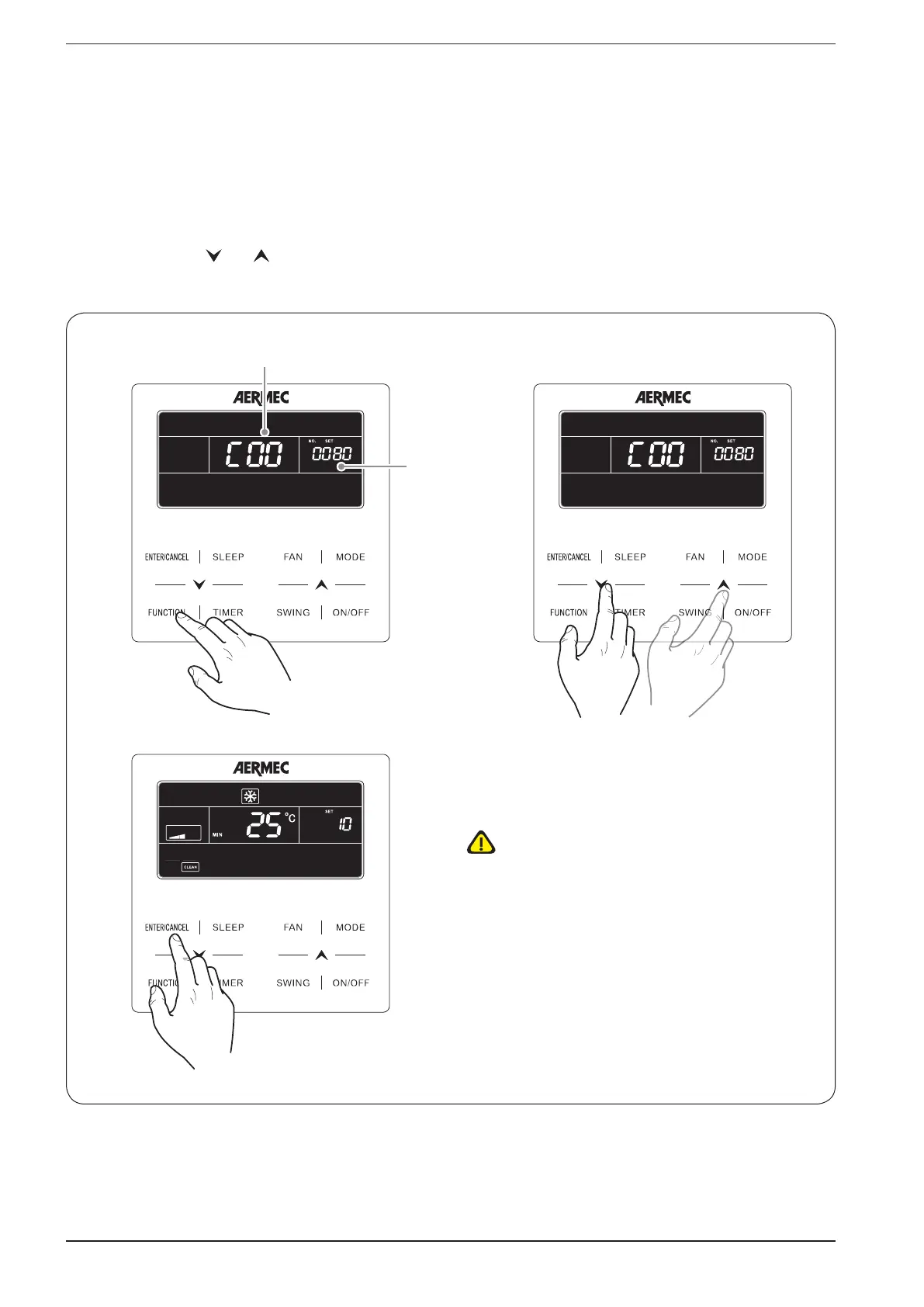
This function is used to display a series of operating parameters (each code is associated with the letter “C”); the parameters
in this menu may not be modified but only displayed (read only); to read the operating parameters, perform the following op-
erations:
(1)
press the “FUNCTION” button for at least 5 seconds, after which the temperature setting will be replaced by an indica-
tion of the operating parameter currently displayed (from C00 up to C20; for more information about the operating parame-
ters sequence and the data displayed, refer to the table provided below);
(2)
press the buttons ( ) or ( ) to scroll the operating parameters;
(3) press the “ENTER/CANCEL” button again to exit the operating parameter display;
(1) (2)
(3)
Value of
parameter
Parameter index
WARNING: the list of operating
parameters complete with indexes
and an explanation of the values is
provided below!


 To Next Page