Contents
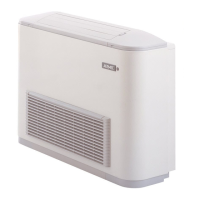
Wired panel - MVA unit ................................................................................................................... 1
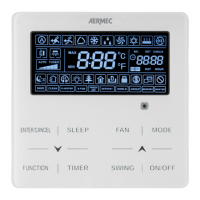
User interface (display) ..................................................................................................................1
User interface (buttons) ................................................................................................................. 4
Dimensions of the wired panel: ................................................................................................... 5
Serial connection: ......................................................................................................................... 5
Installing the wired panel .............................................................................................................. 5
Examples of serial connection between wired panel and indoor unit: .................................... 6
Functions available from wired panel .......................................................................................... 9
Switching the indoor unit ON and OFF: ................................................................................................................ 9
Modifying the operating mode for the indoor unit: .............................................................................................. 10
Modifying the operating temperature: ................................................................................................................ 11
Modifying fan speed: .......................................................................................................................................... 11
Modifying the programmed ON/OFF timer (COUNTDOWN mode): ................................................................... 12
Set system time (only used in CLOCK mode): ................................................................................................... 13
Modifying the programmed ON/OFF timer (CLOCK mode): .............................................................................. 14
Set delivery fin SWING: ....................................................................................................................................... 16
Set QUIET function (reduces the noise generated by the indoor unit): .............................................................. 17
Set Night-Time Comfort function: ........................................................................................................................ 18
Set the DISPLAY function on the indoor unit (led and two-figure display): ......................................................... 19
Set the ENERGY SAVING function (active on indoor unit): ................................................................................. 20
Set indoor unit FILTER CLEANING alarm: .......................................................................................................... 21
Set the X-FAN function on indoor unit: ................................................................................................................ 22
Set the ANTIFREEZE function on indoor unit: ..................................................................................................... 23
Set key lock on wired panel: ............................................................................................................................... 24
Display indoor unit OPERATING PARAMETERS: ................................................................................................ 25
List of operating parameters (read-only data): ................................................................................................... 26
Activation of indoor unit OPERATING PARAMETER modification menu: ............................................................ 28
Display operating errors or system messages: ......................................................................... 31


 To Next Page