Radio Test Instruments
Subject to Export Control, see Cover Page for details.
7-25
Sweep Toggle Button
Selects Sweep Time mode of operation. When Auto is selected, the sweep time is system
defined value appropriate for the signal type being displayed. When Manual is selected, a drop-
down menu becomes accessible which allows user to select from a list of defined sweep time
settings. This toggle button is linked to the [Sweep Time] Soft Key
which can also be used to
define the sweep time setting.
Mode
Drop-down menu selects the span mode used to define the displayed signal trace. Available
options are Start-Stop Mode, Center-Span Mode and Zero-Span Mode.
Start - Stop
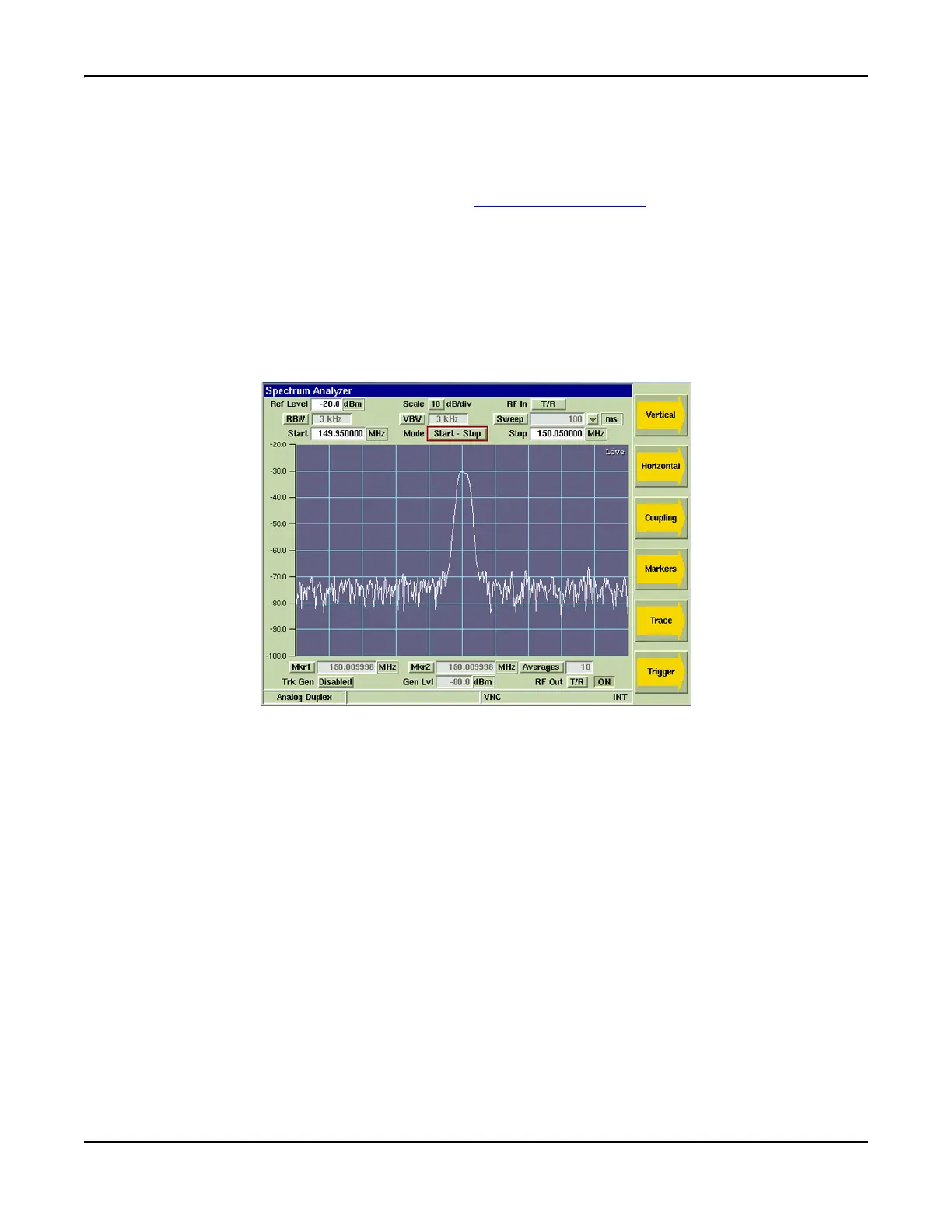
Start-Stop Span Mode uses the sweep Start and Stop frequencies to define the frequency
span. Fig. 7-28 shows the RF Spectrum from 149.950000 MHz to 150.050000 MHz as
defined by the Start and Stop values.
Fig. 7-28 Spectrum Analyzer Start and Stop Frequency Setting













 To Next Page