Test Set Operation
Subject to Export Control, see Cover Page for details.
3-48
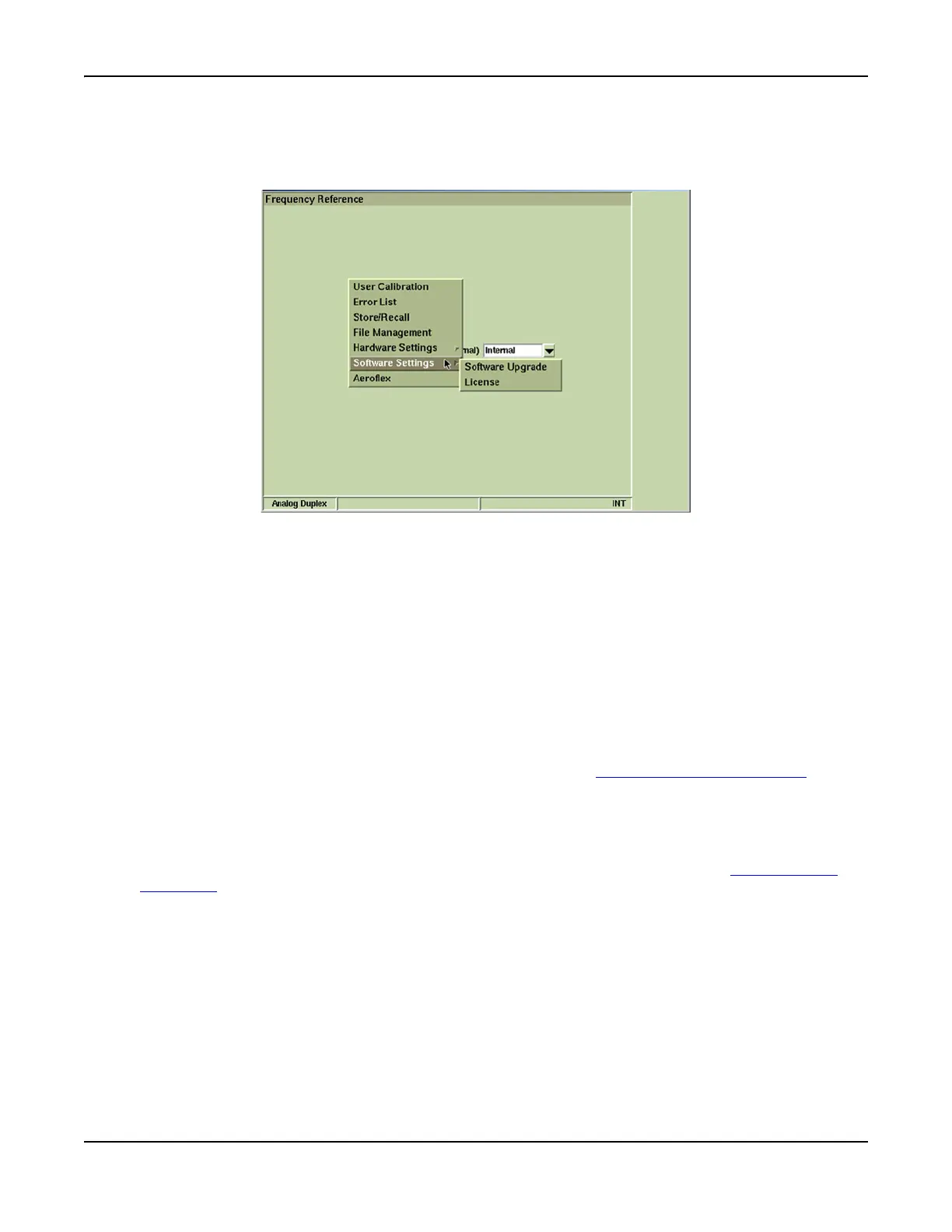
Software Upgrade Tile
The Software Upgrade Tile allows the firmware in the Test Set to be upgraded by direct connection
to the Internet, using either a USB memory stick, or a USB CDROM.
Fig. 3-47 Accessing Software Upgrade Functions
Soft Key Definitions
[Proceed] Soft Key
Advances to next Software Upgrade Tile.
[Check for Upgrades] Soft Key
Test Set queries software upgrade source to determine is there are any available upgrades for
the software currently licensed on the Test Set. If any items are listed under the Upgrade
Version heading after the [Check for Upgrades] Soft Key is pressed, perform the Software
Upgrade procedure. When this soft key is pressed, user must select the source of the software
download from an enabled group of soft keys (CDROM, Internet or USB Memory).
[CDROM Upgrade] Soft Key
Selects CDROM as the source of software upgrade (refer to CDROM Upgrade Procedure).
[Internet Upgrade] Soft Key
Reserved for future development.
[USB Memory Upgrade] Soft Key
Selects a USB memory device as the source of the software upgrade (refer to USB Upgrade
Procedure).
[Upgrade All] Soft Key
When Check for Upgrades query is completed, available upgrade versions are identified on the
Software Upgrade Tile (refer to Fig. 3-50 for an example). Pressing [Upgrade All] upgrades the
Test Set with all available upgrade versions.
[Description] Soft Key
Displays technical information about the selected software.













 To Next Page