Test Set Operation
Subject to Export Control, see Cover Page for details.
3-43
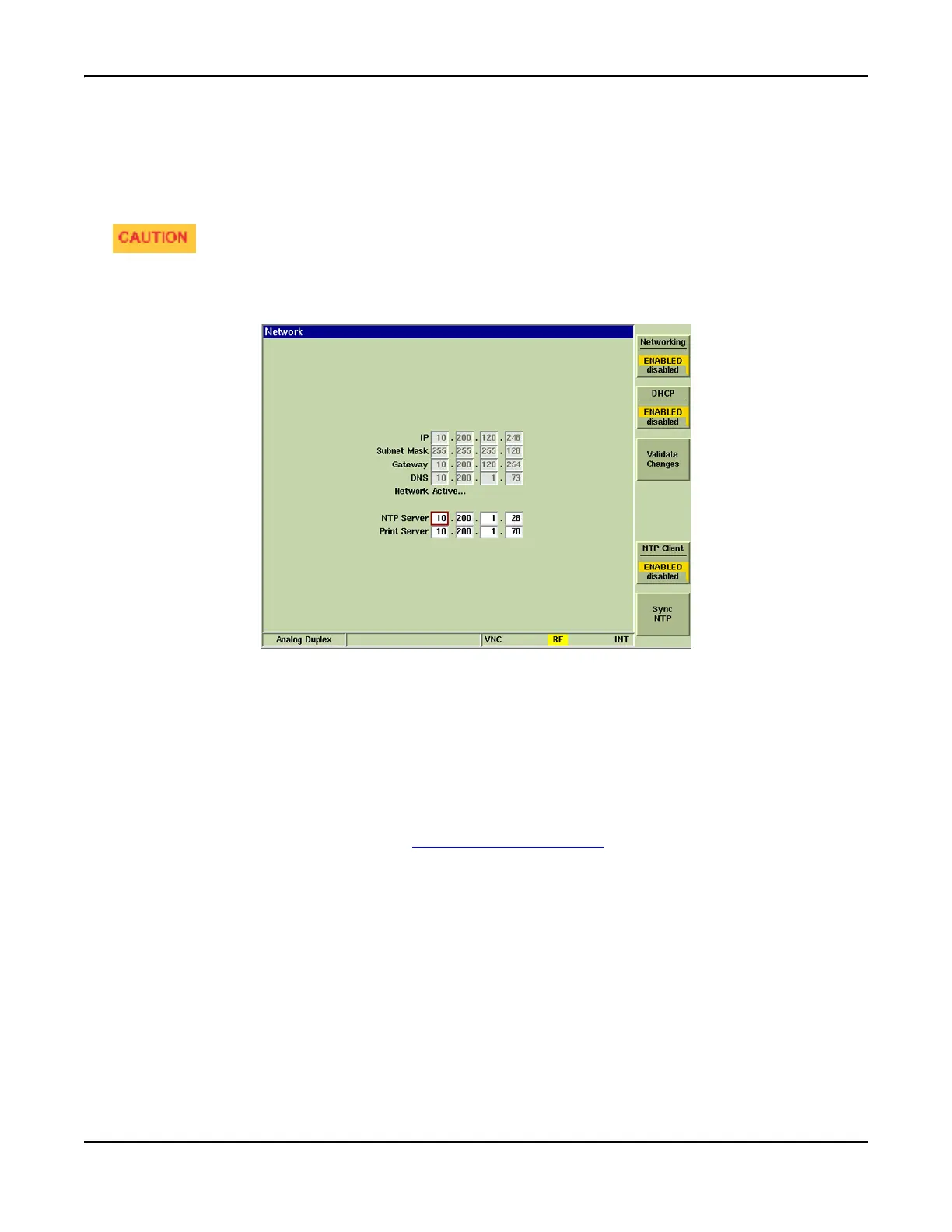
Network Tile
The Network Tile allows various operating parameters to be set which are required to connect the
Test Set to a network (LAN). The Test Set can be configured to obtain all its parameters from a
DHCP (Dynamic Host Configuration Profile) server running on the network, otherwise the required
information must be entered manually.
If you are unfamiliar with the terminology used on this Tile, seek technical assistance from your
IT department. A configuration error may cause serious trouble on your Intranet! The IP, Subnet
Mask, Gateway and DNS fields are defined by Network Configuration.
Fig. 3-43 UTILS Network Tile
Field / Soft Key Definitions
NTP Server
The NTP Server fields define the IP Address of the Network Time Protocol server which provides
timing synchronization information.
Printer Server
The Printer Server fields define the IP Address of the Common UNIX Printing System (CUPS)
which provides access to a network printer. The Networking option must be selected from the
Connection drop-down menu on the Printer Configuration Tile
to enable network printing.













 To Next Page