2-16 Subject to Export Control, see Cover Page for details.
2-2-3. USER INTERFACE (UI) COMPONENTS (cont)
C. Tile Windows (cont)
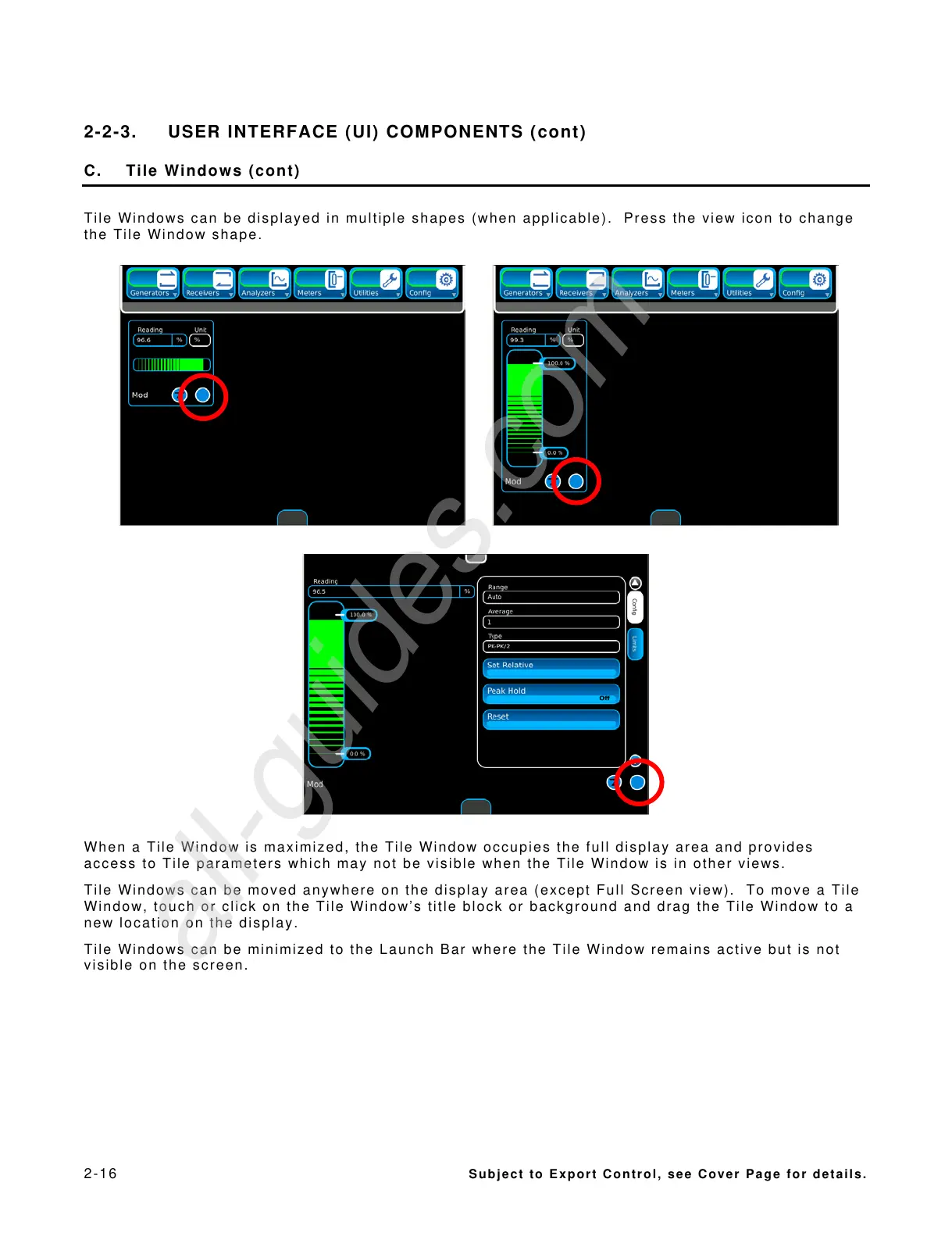
Tile Windows can be displayed in multiple shapes (when applicable). Press the view icon to change
the Tile Window shape.
When a Tile Window is maximized, the Tile Window occupies the full display area and provides
access to Tile parameters which may not be visible when the Tile Window is in other views.
Tile Windows can be moved anywhere on the display area (except Full Screen view). To move a Tile
Window, touch or click on the Tile Window’s title block or background and drag the Tile Window to a
new location on the display.
Tile Windows can be minimized to the Launch Bar where the Tile Window remains active but is not
visible on the screen.



 To Next Page