P a g e | 11
Programming dial out numbers for multi button versions
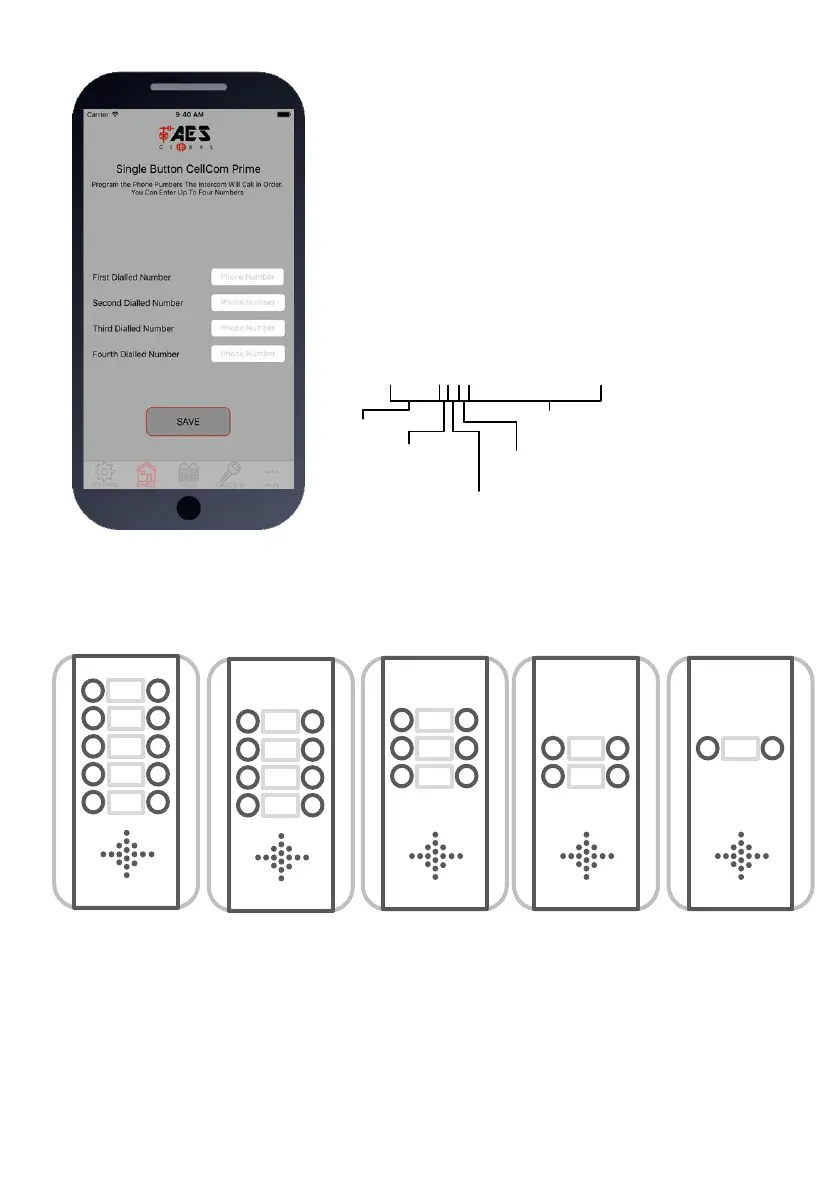
Please note the position of the buttons on the above panel options. For example, if you have a 2
button panel, you will be programming dial out numbers for buttons 3 and 8. For a 4 button panel,
the corresponding button locations are 2,3,8 and 9.
Step2: Programming Numbers for the
intercom to call on button press.
1.Press the SINGLE home icon for a 1 button system, or MULTI
for a 10 button system.
2. Simply enter cell phone numbers and/or landline phones
which the intercom is to call when the call button is pressed. (10
button model please enter button number).
3. Press SAVE. Note: iphone users will be taken to their SMS
screen to confirm the SMS string (press send).
4. The intercom should reply with an SMS to your phone
showing the SMS string and an OK status.
SMS Programming Format:


 To Next Page